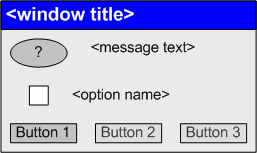
The main purpose of this node is to show confirmation/hint windows you have hidden while working with ASCET.
Add All Components from Sub Folders to Container
Confirmation window when a folder is dragged onto a container (see Adding Database/Workspace Items (Drag & Drop) and Adding Items Via the Container View).
Add Component to Library
Confirmation window when a component is automatically added to the block library.
Adjust Acquisition Task(s)
Confirmation window for renaming a task in the OS editor (see Working on Tasks, step 3).
All Attributes Get Lost if a Variable is Changed to Import
Confirmation window when the scope of an element is set to Imported (see Editing the Element Scope).
ASCET Link check -Error-
Message window that indicates a syntax error in an ASCET link.
ASCET Link check -Warning-
Message window that indicates a missing target of an ASCET link.
Block not on Raster
Confirmation window for setting the horizontal or vertical size of a graphical block to an odd value.
Change Database Path
Confirmation window for changing the database path when opening a database which is not in the default directory.
Change Workspace Path
Confirmation window for changing the workspace path when opening a workspace which is not in the default directory.
Check Attributes "Virtual" and "Non-Virtual"
Message window when you open the properties editor for a variable that is set to both Virtual and Non-volatile. See also Variables and Opening the Properties Editor.
Close ASCET
Confirmation window when ending ASCET.
Close Boolean Table
Confirmation window when closing a Boolean table with wrong entries.
Close Existing Editor – check context
Confirmation window when an editor is opened again for the same component and the second editor tries to open the component in a different project context.
Confirm: Clean All
Confirmation window when the generated code in the entire database is to be discarded (see Build Menu).
Confirm: Clean All (w/o DB optimize)
Confirmation window when the generated code in the entire database/workspace is to be discarded (see Build Menu).
Confirm: Touch All
Confirmation window when all database/workspace items are to be touched (see Build Menu).
Create new Workspace Folder
Confirmation window when you try to create a new workspace in a non-empty Windows directory (see Creating a Workspace).
Customized Data Type Names Changed
Confirmation window when you have changed data type names (see Customizing Data Type Names).
Deassign Application Mode <inactive>
Confirmation window when the type of an init task with application mode inactive is changed in the OS editor.
Delete Component
Confirmation window when deleting a component.
Delete Element
Confirmation window when deleting an element.
Delete Formula
Confirmation window when deleting a formula.
Delete Implementation Type
Confirmation window when deleting an implementation type. See also Managing Implementation Types.
Delete Method
Confirmation window when deleting a method or process.
Delete Realized Interface
Confirmation window when deleting a realized ClientServer interface (i.e. a provided ClientServer interface) from an SWC.
Delete Task
Confirmation window when deleting a task.
Edit Element Properties
Determines whether the properties editor opens automatically (Show) for new elements or not (Hide).
Expand Tree Pane for Search
Confirmation window when the search in the Tree Pane wants to expand the tree structure in the currently searched tab (see Searching the Tree Pane).
Experiment: Log all
Confirmation window when all elements in an experiment are selected for data logging.
Export Components
Confirmation window during export with activated One File for Each Item option.
Export Message Configuration
Confirmation window when exporting message configurations from the monitor window (see Messages Tab).
Import Missing Library Items
Confirmation window when a block library shall be imported in the current database/workspace.
Import Options
Confirmation window when importing options.
Import Views
Confirmation window when importing views.
Insert the block?
Confirmation window when inserting a block on a connection in a block diagram.
Keep Attributes from Export if a Variable is changed to Local?
Confirmation window when the scope of an element is switched from Imported to Local or Exported (see Editing the Element Scope).
Keep the connection line?
Confirmation window when removing a block from a connection in a block diagram.
Move code storage files
Confirmation window when changing the path for external code storage.
No components left for replace code
Confirmation window when all C code and ESDL components selected for find/replace are write-protected (see Find and Replace in C code and ESDL).
Open Existing Location
Confirmation window when you try to create a database/workspace with an existing name.
Override INTECRIO Transfer Files
Confirmation window when you try an INTECRIO transfer into an existing directory.
Overwrite Files/Folders in export directory
Confirmation window when exporting into existing directories or files.
Perform Recursive Operation
Confirmation when you activate/deactivate flexible layout (see Activating/Deactivating Flexible Layout) or convert old integer types (see Converting Old Integer Types to New Integer Types) recursively.
Remove invalid Mappings
Determines whether invalid message or parameter mappings in a software component are kept or removed.
Remove Signal
Confirmation window when a signal assigned to a data generator channel is removed from the data generator.
Replace all occurrences of a block?
Determines whether further occurrences of the block you just replaced shall be replaced as well (see also Replacing a Diagram Item).
Replace code not possible
Confirmation window when you try to change a write-protected C code or ESDL component via find/replace (see Find and Replace in C code and ESDL).
Replace Component All Occurrences
Confirmation window when you are replacing an included component with several occurrences in the parent component (see Replacing an Included Component).
Replace Component Recursive
Confirmation window when you are replacing an included component (see Replacing an Included Component).
Replace the block (CT)?
Confirmation window when replacing a graphical element in a CT block.
Replace the block?
Confirmation window when replacing a graphical element in a block diagram component or state machine (see also Replacing a Diagram Item).
Resize Drawing Area
Confirmation window when, upon opening a block diagram, the size of the drawing area is about to be changed.
Save Experiment
Confirmation dialog for saving an experiment when the experiment is quit.
Set Layout to Default
Confirmation dialog when, in the layout editor, you are about to replace a changed component layout with the component's default layout.
Set Options to Default
Confirmation dialog when resetting options.
Set Target Settings to Default
Confirmation window when a project with unknown target or compiler is opened in ASCET.
Start Offline Simulation
Confirmation window when an offline experiment is started and the event generator contains no event.
Statemachine: Check Reinitialize method
Confirmation window when you activate the Reinitialize option for a second method in the same state machine (see Specifying a Reset Method for State Variables).
Store Changes in Block Editor
Confirmation window when a CT block in ESDL or C code with unsaved changes is closed.
Store Changes in ESDL and C-Code
Confirmation window when a class or module in ESDL or C code with unsaved changes is closed.
Store Changes in Graphic
Confirmation window when a block diagram with unsaved changes is closed.
Store Changes in Mapping Editor
Determines whether unsaved mapping changes are saved or reverted. See also Mapping Messages, NV Variables, and Parameters and references therein.
Store Changes in Project Editor
Confirmation window when a project with unsaved changes is closed.
Store Changes in Software Component Editor
Confirmation window when a software component with unsaved changes is closed.
Switch Port Type
Confirmation window when you switch a ClientServer port from Provided to Required or vice versa.
Update Realized Interfaces
Confirmation window when you update a ClientServer Pport (see the ASCET AUTOSAR User Guide, chapter 7, for more details).
Variant Size Check
Confirmation window when you close the properties editor of an array or matrix with a normal or user-defined system constant of wrong initial value selected as variant size (see Editing the Configuration of a Composite Element).
Verify Installation Skript missing
Message window when the skript file required for installation verification is missing. See also Verifying the ASCET Installation.
The table summarizes the effects of the combinations of activated/deactivated options and buttons.
 symbol).