Enhanced Hardware Mapping Dialog
The Hardware Mapping dialog, previously known as the Connect Devices dialog, will now only open automatically if there is at least one estimated hardware connection available and the hardware configuration setup has changed since the last time it was opened. This feature improvement means that you no longer have to manually dismiss the dialog every time. This saves time and enables a more efficient workflow.
Hardware Mapping Dialog
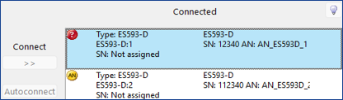
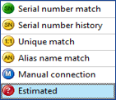
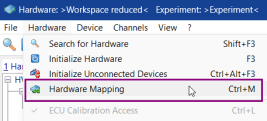
You can now manually open the Hardware Mapping dialog from the INCA Hardware Configuration Editor and the Experiment Environment via the menu entries, the  button, or the hotkey Ctrl+M.
Hardware Configuration Editor
See also
Mapping Hardware Automatically
Back to