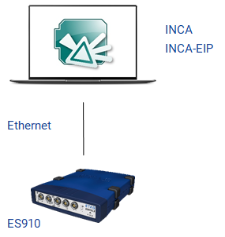
Topology of ES910 / ES910.3 Rapid Prototyping System
Using the ES910 or ES910.3 Compact Rapid Prototyping device as the E-Target, you can perform in parallel both rapid prototyping of control functions as well as measurements and calibration on the ECU via ETK and CAN monitoring via the CAN interface.
Moreover, you can connect an ES930 Multi I/O device to the ES910 in order to measure model signals provided by this device.
If you would like to use ETK access for measurement and calibration, you need to add an ETK controller in the INCA Hardware Configuration Editor in addition to the ES910 or ES910/Simulation System.
If you would like to do CAN monitoring, you have to add a CAN interface with a CAN monitoring device in the INCA Hardware Configuration Editor in addition to the ES910 or ES910/Simulation System.
ETK access and CAN Monitoring are possible with only the INCA base program installed. When using the ES910 system, the INCA-EIP add-on is required only for the Rapid Prototyping use case.
System Topology
See also