Exporting Maps/Curves
You can export existing maps and curves to *.dcm or *csv files. To do so, proceed as follows.
-
Select Parameter/Model → Export.
Or - for formula constraints -
-
Click on the Export button below the "Parameters" list.
The
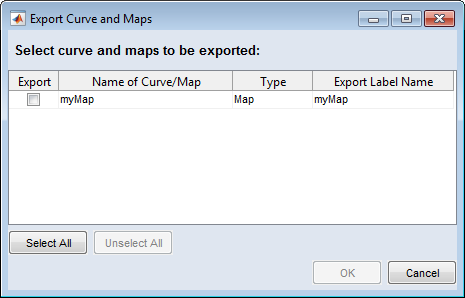
 "Export Curves and Maps" window opens. It lists all maps/curves in the project.
 -
Activate the option in the "Export" column for each map/curve you want to export.
-
Click on OK to start the export.
A file selection window opens.
-
In the file selection window, enter or select path and name of the export file.
The following formats are available: *.dcm and *.csv
-
Click on Save.
The selected maps/curves are exported to the file you specified.
See also