Defining a Signal
You can only define a signal when the experiment is stopped.
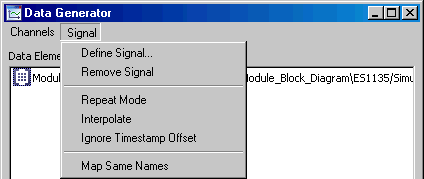
In the data generator, open the Signal menu and select Define Signal.
The Select a Signal Item window opens.
- Select a signal from the "Database" or the "Workspace" pane.
Click OK.
The signal is now defined. You can have only one signal item per experiment.
- Define one or more data generator channels as signal channels.
Once you have defined a signal, new menu items appear in the Signals menu in the data generator. However, these are only available when the experiment is stopped.
Note |
|---|
If the signal you selected uses an MDF format higher than V2.0 (see also Signals and Icons – Importing Measurement Data to a Signal), a warning message will open when you start the experiment. |
See also
Defining Data Generator Channels as Signal Channels
Assigning Channels with Identical Names