Setting the Signal Time Behavior
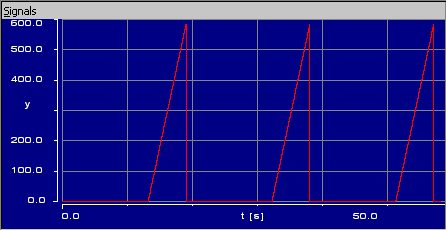
If nothing else is specified, the experiment takes into account time offsets in the signal. If the signal starts at t = x seconds, the stimulation starts x seconds after the experiment start. If signal repetition is selected, the next stimulation starts x seconds after the end of the previous stimulation.
 EXAMPLE 1 EXAMPLE 1 |
|---|
You can switch off this behavior and ignore time offsets in the stimulating signal.
- In the data generator, open the Signal menu and select Ignore Timestamp Offset.
Restart the experiment.
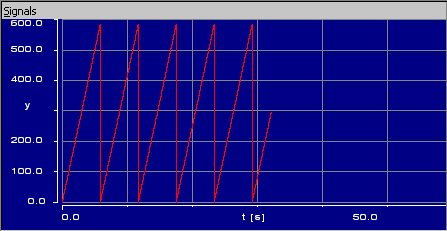
Now, stimulation starts immediately at t=0s. If signal repetition is selected, the stimulation s repeated without delay.
EXAMPLE 2- Select Ignore Timestamp Offset again to return to the default behavior.
See also