Displaying the Cause of the Message
In the Messages tab of the Monitor window, do one of the following:
Double-click a message.
Right-click a message and select Open from the context menu.
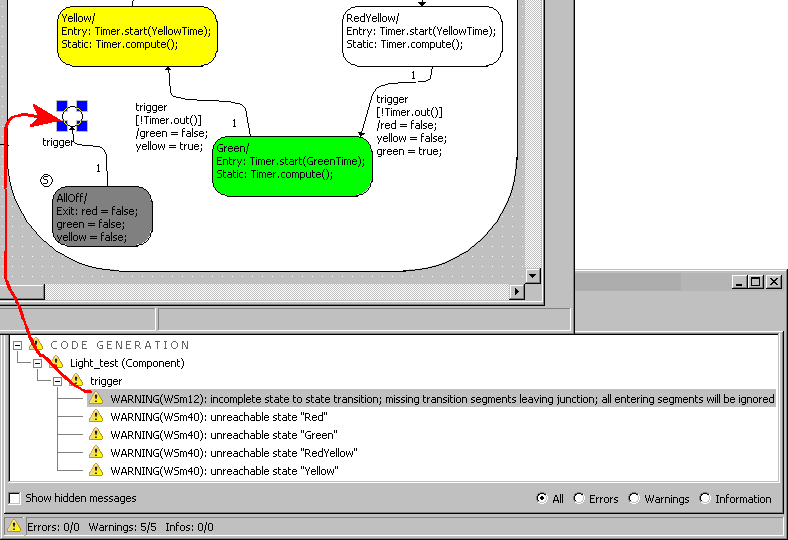
The editor for the component concerned opens and the relevant point is highlighted. Click
 here for an example.
To open the code generation folder, do one of the following:
- Double-click the C O D E G E N E R A T I O N or C O M P I L E/L I N K node.
- Open the File menu and select Open Code Generation Directory.
You can now check the generated files.
When compiler or linker errors have occurred, a text window opens showing the relevant generated file. The use of a text editor is controlled in the ASCII Editor node of the ASCET option window.
See also