Displaying the Grid Editor
To display the Grid Editor:
Select Variables > Open Grid Editor.
or
In the multi column view, double-click any variable value compare cell of the grid.
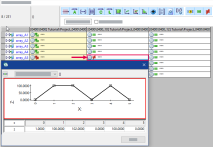
or
In the multi column view, click any variable value compare cell of the grid and press F2.
or
In the multi column view, right-click any variable value compare cell of the grid and select Open Grid Editor.
To switch to the multi column view, see Switching between Single Column View and Multi Column View.
See also