Guided Troubleshooting: Can you insert the hardware manually in the HWC?
Can you insert the hardware (e.g. an ES581 or an ES592) manually in the hardware device tree in the Hardware Configuration Editor?
 How to insert hardware manually
In INCA's Hardware Configuration Editor, you can manually add hardware of those types that are supported by your INCA installation, namely hardware that either does not require an add-on, or the required add-on is already installed. To check whether the desired hardware type is supported by your INCA installation:
- Open the Hardware Configuration Editor.
Click the Insert icon in the toolbar.
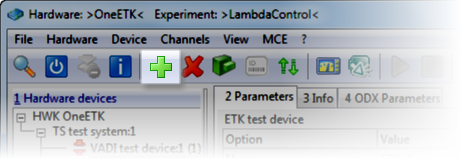
A dialog opens showing a tree view of hardware systems and devices that you can add to the configuration.
If you cannot find the expected type of hardware in the list, the required hardware add-on is not yet installed.
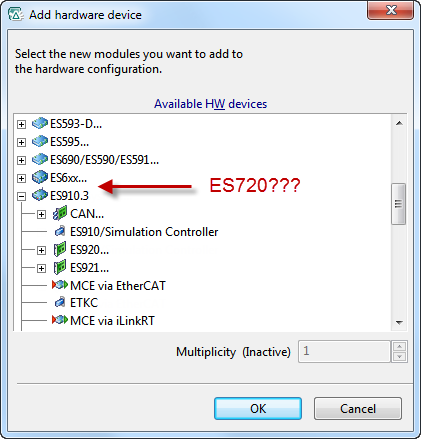
Examples for hardware requiring a separate add-on installation (no complete listing):
Add-on
Modules
Drive Recorder
ES720/ES820 Drive Recorder
Vector-Hardware
Vector hardware
Note
All hardware add-ons are available for free. They are included on the INCA product DVD. Please contact your administrator or tool coordinator if any of these hardware add-ons are missing on your PC.
Note
ETK and XETK devices do not require a hardware add-on.
You can find XETK devices by expanding the Ethernet System in the tree view of available hardware devices.
You can find ETK devices (named "ETKC" in INCA) by expanding the system used for connecting the ETK (e.g. an ES592 or an ES910.3).