Guided Troubleshooting: Did you select the required host interface?
Did you select the required host interfaces (e.g. Ethernet, USB, COM) when you were searching for hardware?
 How to find out which host interfaces were used
Each hardware uses a specific host interface for connecting to the INCA PC, e.g. an ETK or a daisy chain module is connected via Ethernet, whereas an ES581 is connected via USB. To find the hardware when searching for hardware, the corresponding host interfaces must be enabled for this procedure. To check whether the required host interface is selected:
- Open the Hardware Configuration Editor.
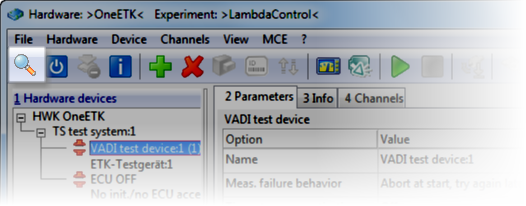
Start a search for hardware, e.g. by clicking the toolbar icon.
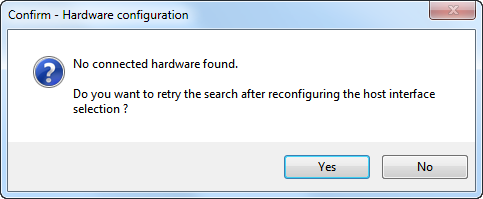
In case that the following dialog is shown, click Yes.
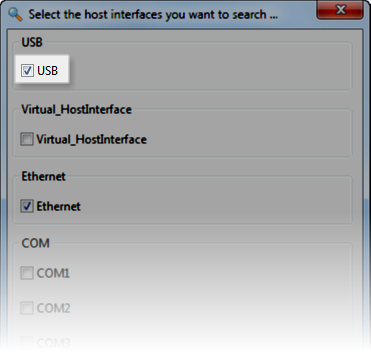
A dialog listing all host interfaces is displayed. Check whether the host interfaces used by the connected hardware are selected. Change the selection if required and click OK.
Note
If you do not know which host interface is used for connecting the hardware to the INCA PC, select all interfaces.
Note: selecting all interfaces will result in longer search times.