Snapshots
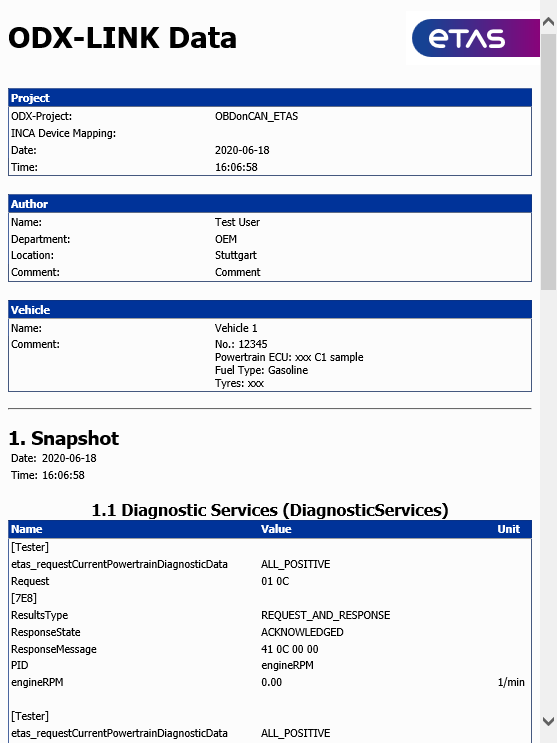
With the snapshot function (ODX>Snapshot), it is possible to save the current data of ODX-LINK windows into a file.
Note |
|---|
A snapshot saves the diagnostic data currently stored in all snapshot-relevant ODX-LINK user views. Please ensure that the windows are updated manually before the snapshot function is triggered! |
Meta data you can configure is added to the data read from the ECU (see the section Data Logging Configuration ).
You define which data is to be recorded in a snapshot (option "Snapshot relevant"). The data of the following "user views" can be recorded in snapshots:
- Diagnostic Services (see Diagnostic Services)
- Service Inspector (see Service Inspector)
- OBD (see OBD)
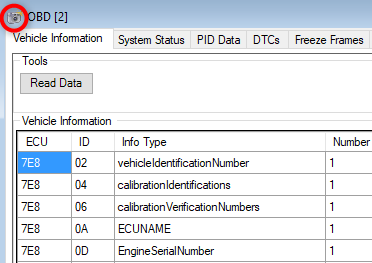
The Snapshot icon - a small camera - at the left of the title bar of the relevant dialog window indicates whether the data of a user view is recorded in the snapshot.
To record a snapshot
Click Snapshot from the toolbar of the INCA experiment environment.
or
Select ODX>Snapshot.
If you activated the relevant option in the "Data Logging Configuration", a dialog box for the snapshot meta data is displayed. If you did not activate the option, the data is written immediately.
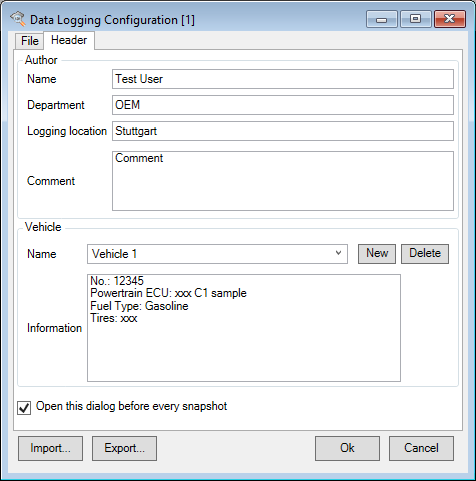
- Enter the relevant meta data. For further details on "Data Logging Configuration", refer to the section Data Logging Configuration .
Click OK.
The snapshot data is written. If you have set the "Data Logging Configuration" accordingly, the data written is displayed accordingly.