 Step 3: Setting Up the Workspace
Step 4:
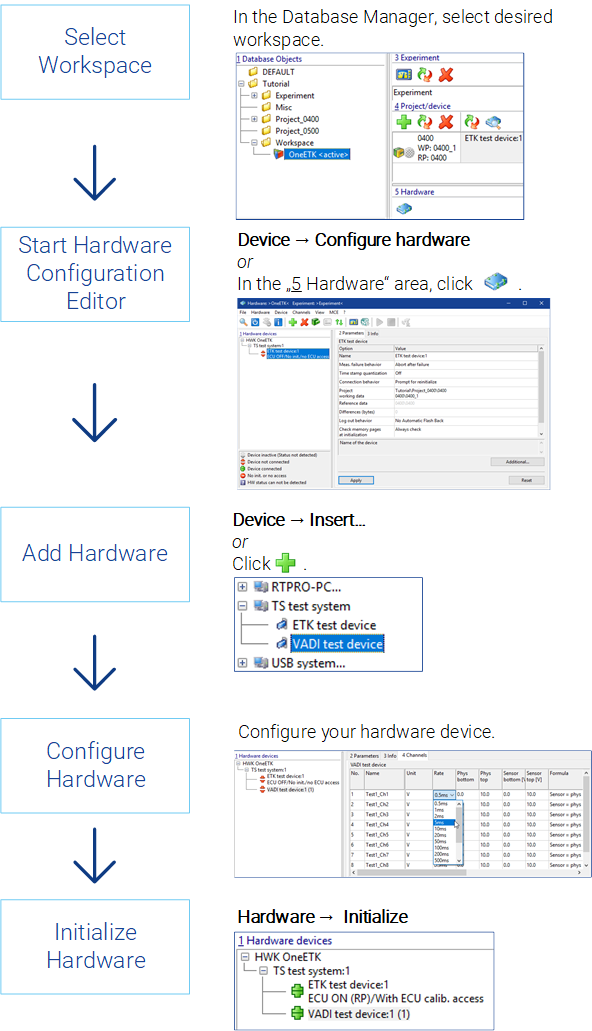
You can select different settings, for example, module parameters, channel settings, etc., for each hardware component using associated dialog boxes. When you add hardware components manually, the hardware still needs to be initialized.
Step 5: Matching Data Versions Between the PC and ECU
See also