Elements of the ASCMO-MOCA User Interface
The following figure shows the main user interface of ASCMO-MOCA.
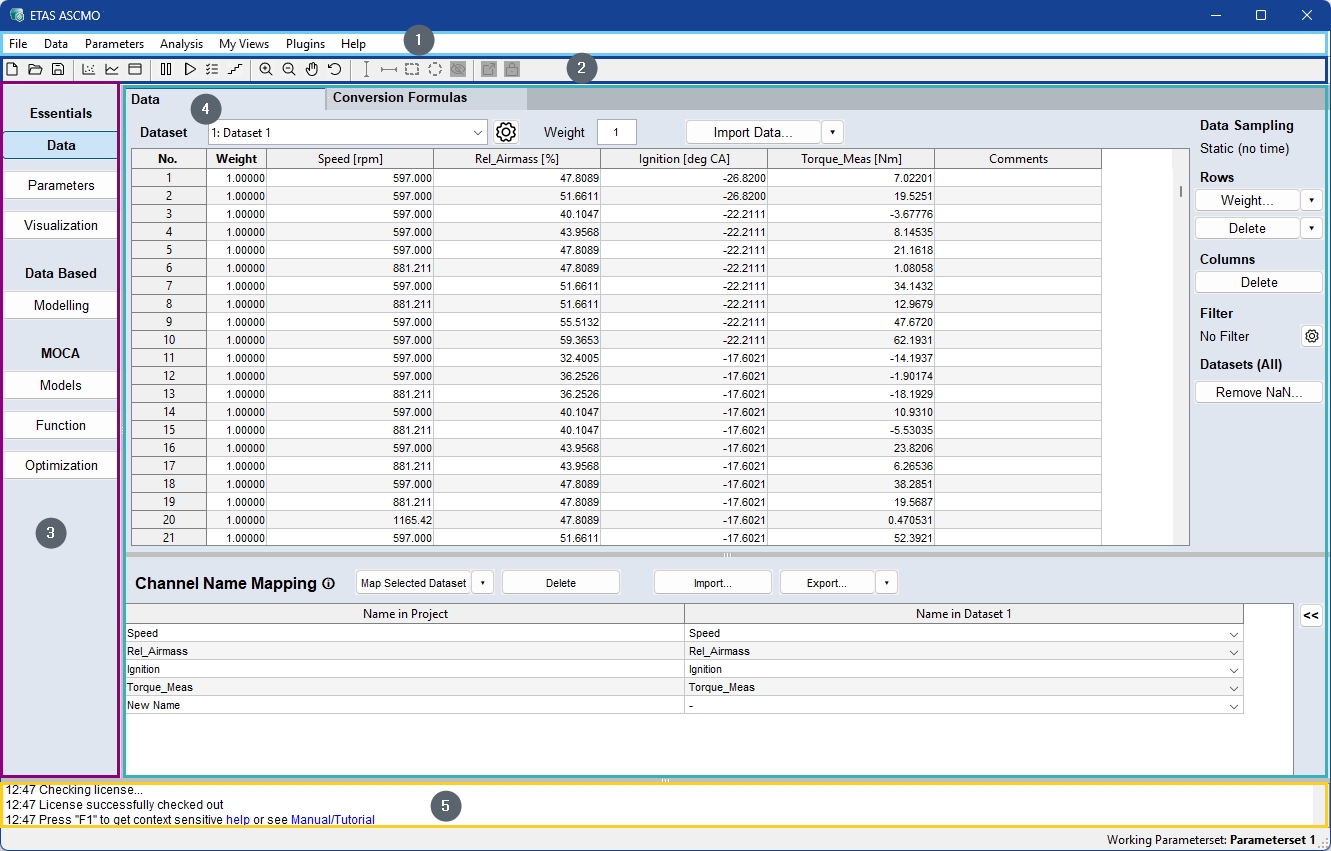
Fig. 22: Main user interface elements of ASCMO-MOCA
Most of the user activity will take place in the main working window. Moreover, there is a number of interactive options in the navigation and the main menu bar that are described below.
➀ Main menu
➁ Toolbar (see Toolbar)
➂ Navigation pane (see 1)
➃ Main working window
➄ Log window (see Log Window)
Status bar (footer) with current state information