Feedback Loop
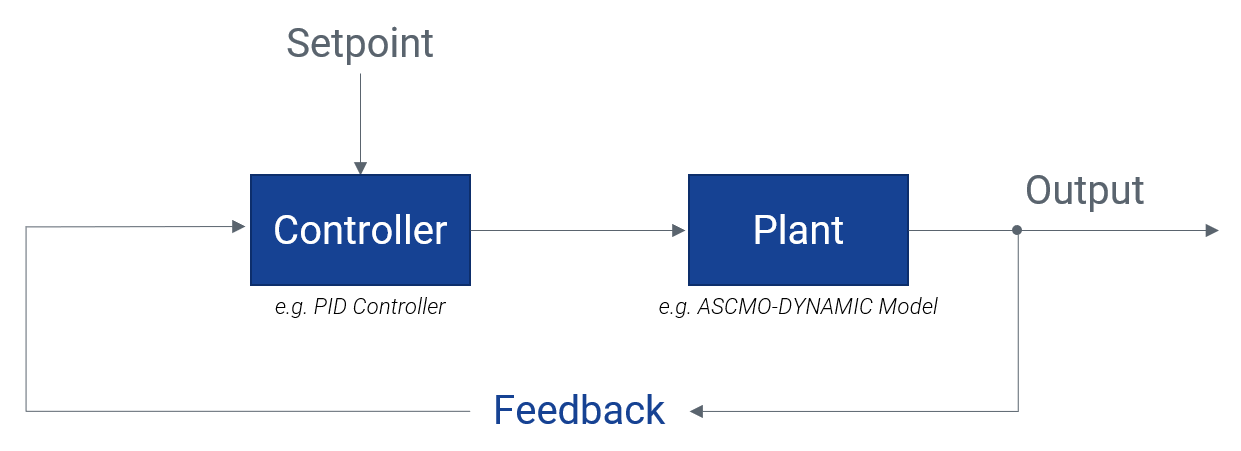
Within a node of the Function you can access a future node using a feedback loop with time delay. This can be also used with a dynamic model. See the following graphic and ASCMO-MOCA example.
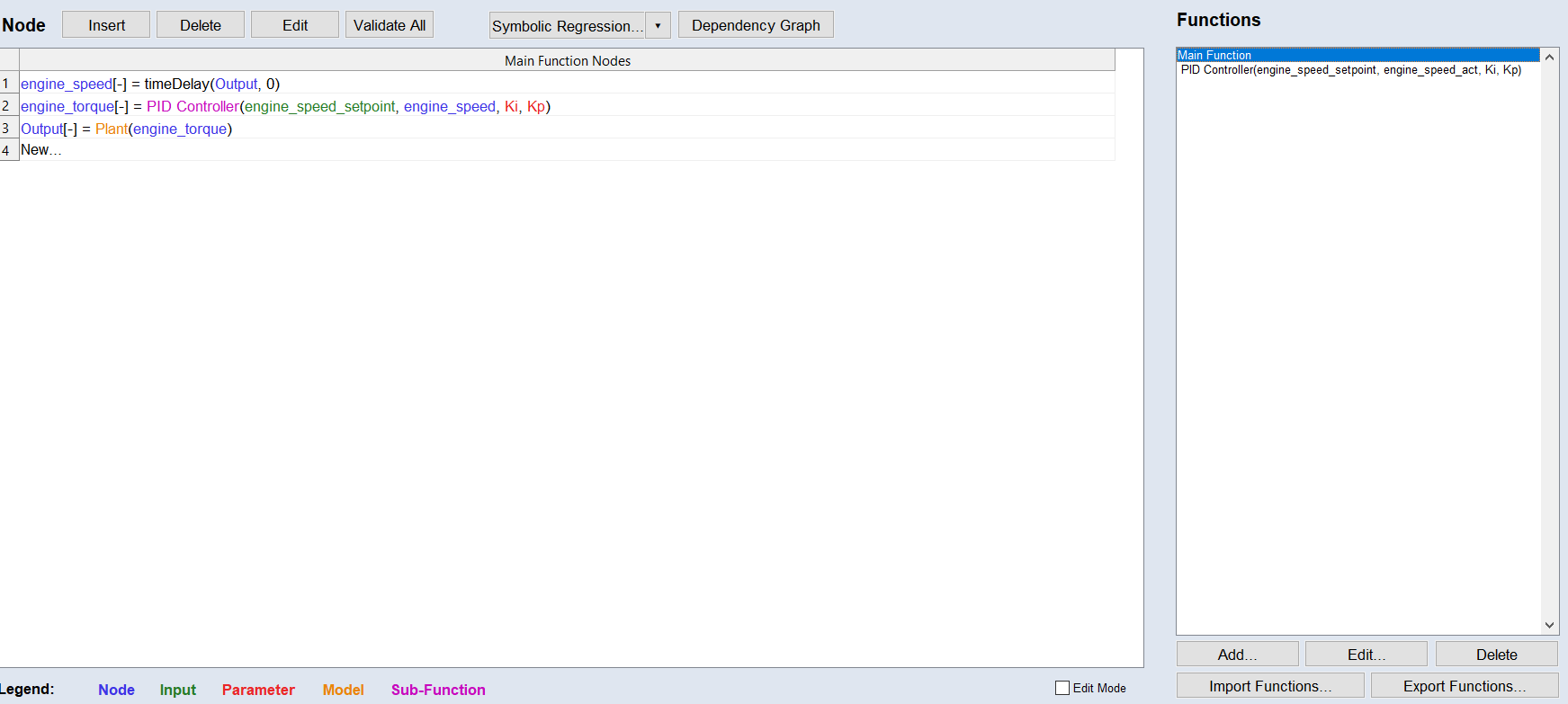
Main Function Nodes
engine_speed[-] = timeDelay(%Output%, 0)
engine_torque[-] = %PID Controller%(%engine_speed_setpoint%, %engine_speed%, %Ki%, %Kp%)
Output[-] = %Plant%(%engine_torque%)
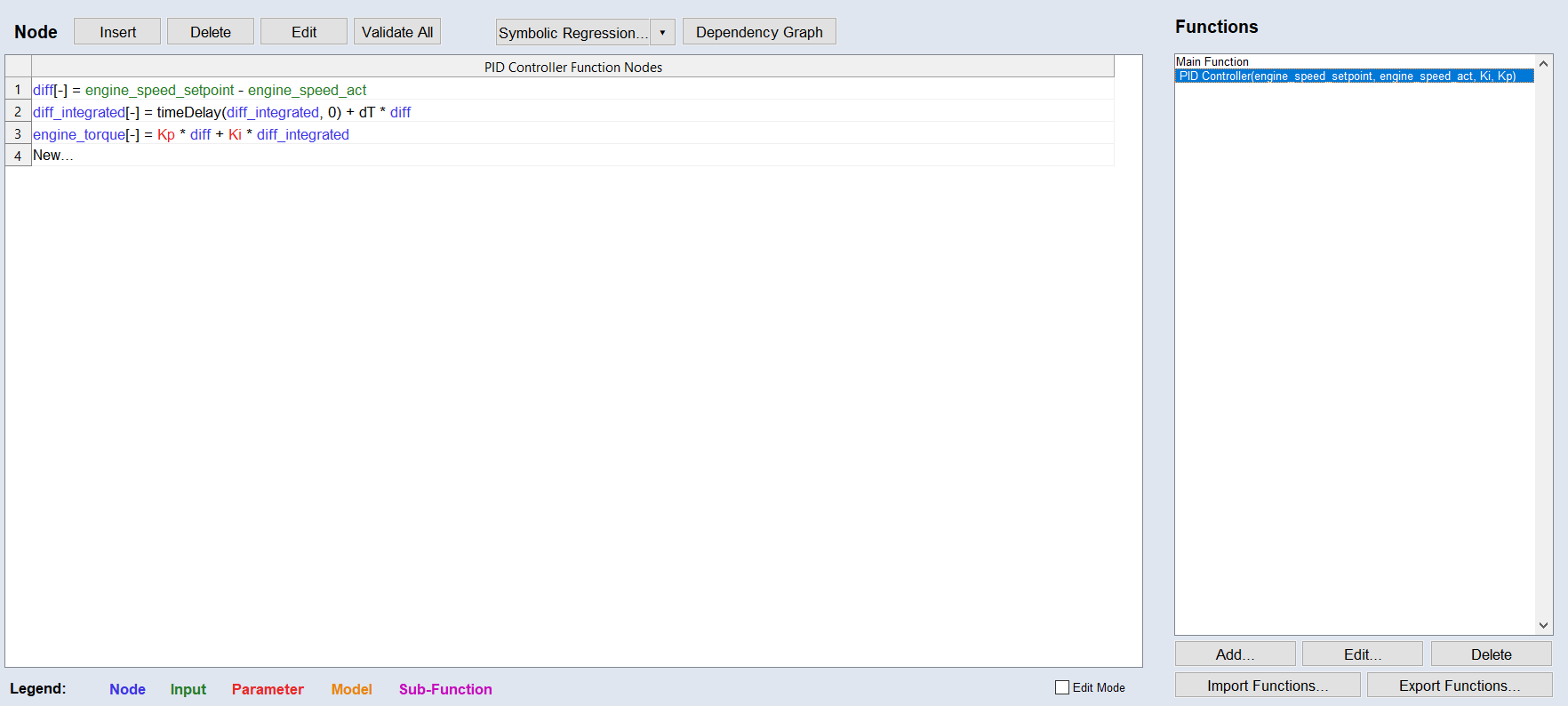
PID Controller Function Nodes
diff[-] = %engine_speed_setpoint% - %engine_speed_act%
diff_integrated[-] = timeDelay(%diff_integrated%, 0) + dT .* %diff%
engine_torque[-] = %Kp% .* %diff% + %Ki% .* %diff_integrated%
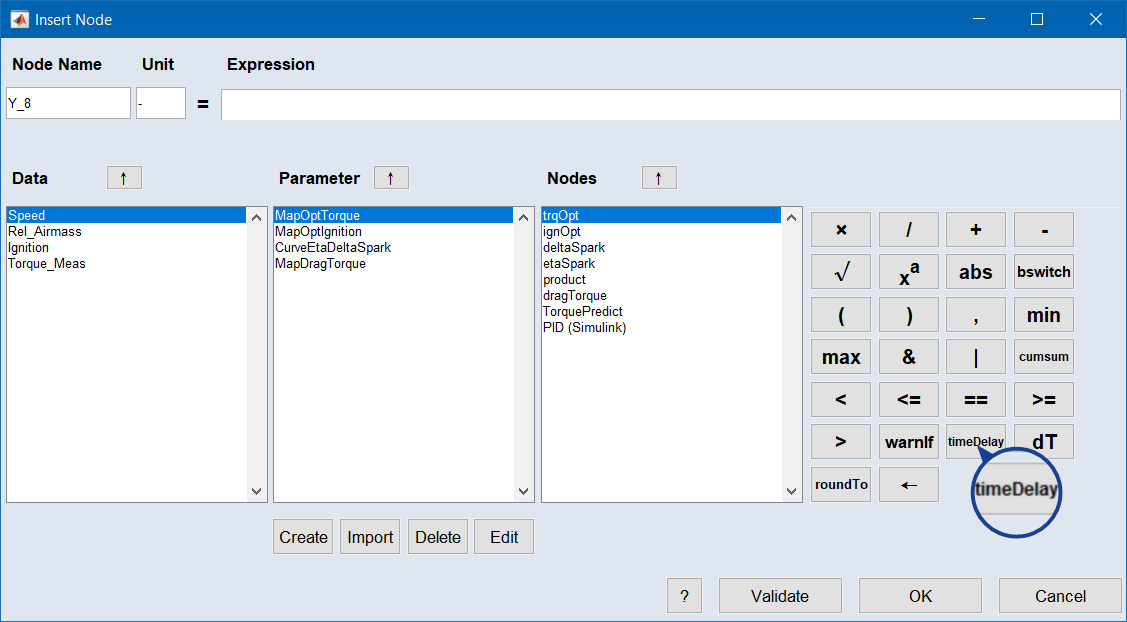
The timeDelay element is one of the mathematical operators in the "Insert/Edit Node" window.
See also