Specifying the Matrix Addition
- Place the auxiliary matrix and the argument arg_OutMatrix in the drawing area.
Right-click each element, and select Get/Set Ports from the context menu.
The Get and Set ports of arg_OutMatrix and the auxiliary matrix are displayed in the diagram.
Assign the argument arg_OutMatrix to the auxiliary matrix via its Set port.
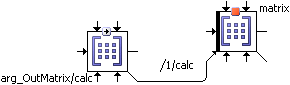
Select the sequence number 1 for the sequence call, so that the assignment is executed as the first step of the method.
The auxiliary matrix accesses the memory area of arg_OutMatrix. Thus, the calculation results are made available outside the method.
Create the necessary indices, and specify the matrix addition.
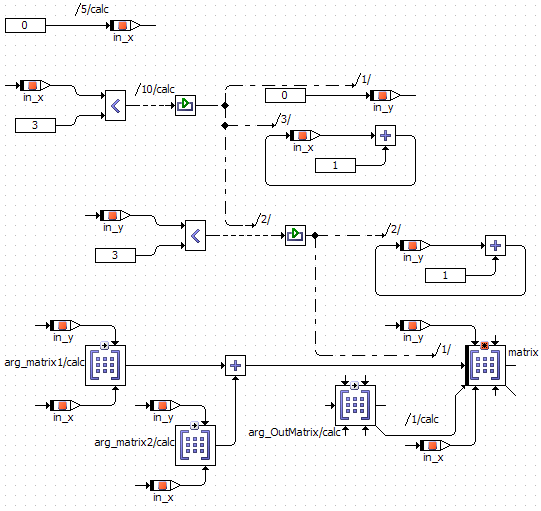
The example uses a 3x3 matrix. If you use a different size, you must adapt the loops and all matrix sizes.
See also