Access to the ETAS License and Download Portal
Access to manage your ETAS Licenses
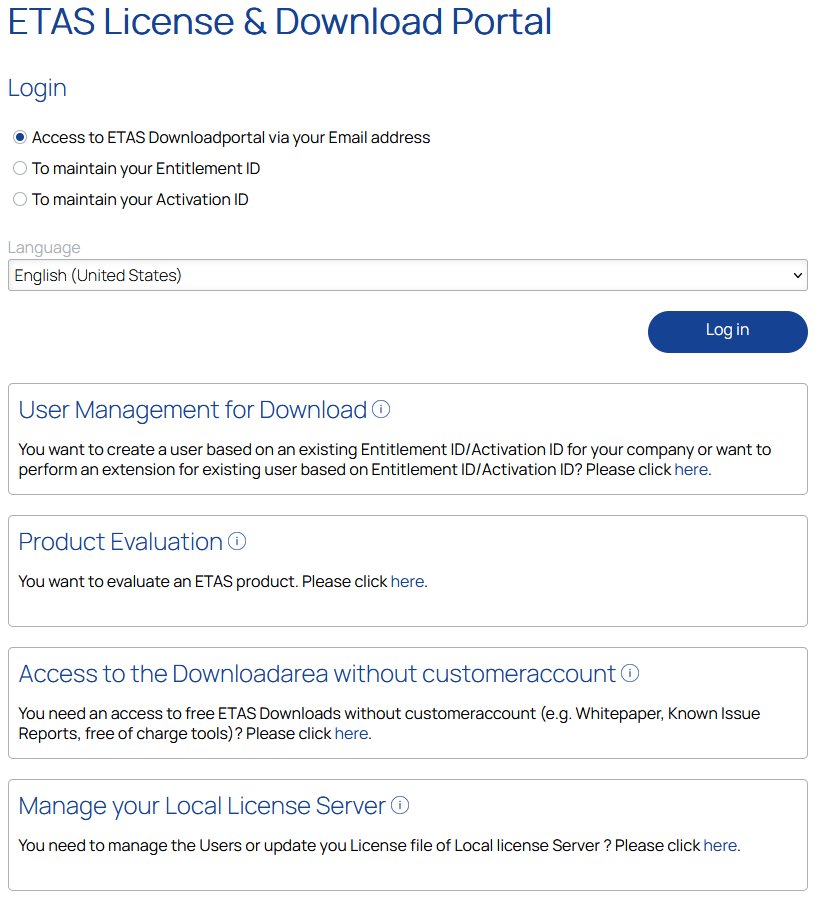
There are several options to enter the portal https://license.etas.com/:
With email address (SSO via ETAS ID)
To enhance security and streamline the login experience, the FNO portal has been transitioned to a new Single Sign-On (SSO) system. This upgrade provides you with a more secure and efficient way to access your account. For more information, see SSO via ETAS ID.
You will be enabled to see and manage all Activations in all the Entitlements assigned to your account (e.g. for a tool coordinator responsible for several Entitlements).
With Entitlement ID
Will allow you to see and manage all Activations in the entered Entitlement (e.g. for a company with only one Entitlement).
With Activation ID
Will allow you to see and manage the entered Activation (e.g. for a user who is given the information by a tool coordinator to allow him/her to activate one license).
You are of course, free to use whichever method suits you best at the moment!
To enable also the Download functions in the Portal, a personal user account is needed. For more information, see Registration.
Enable Downloads in the Portal
-
With a valid ETAS FNO Customer Portal User with Password, you can extend your User to access also the Downloads in the Portal (valid Activation ID or Entitlement ID is needed).
-
If you do not have a valid user account and want to evaluate ETAS Software you can use the Product Evaluation link to register yourself and select an available Evaluation Product.
-
If you only need access to the ETAS Non-Public Downloads you can use the Access to Non-Public Downloads to register yourself.
-
If you are already registered for Evaluations or for Downloads you are automatically also enabled to access the Non-Public Downloads.
See also