Exporting a Configuration
With this function you can export your experiment configuration for DAQ based measurement configurations. Use the export function to configure your measurement data source or to interpret trace data.
The export contains:
Measurement configuration as JSON
XCP session properties as JSON
A2L file(s)
EXAMPLE
The following graphic shows an example use case for a zipped export:
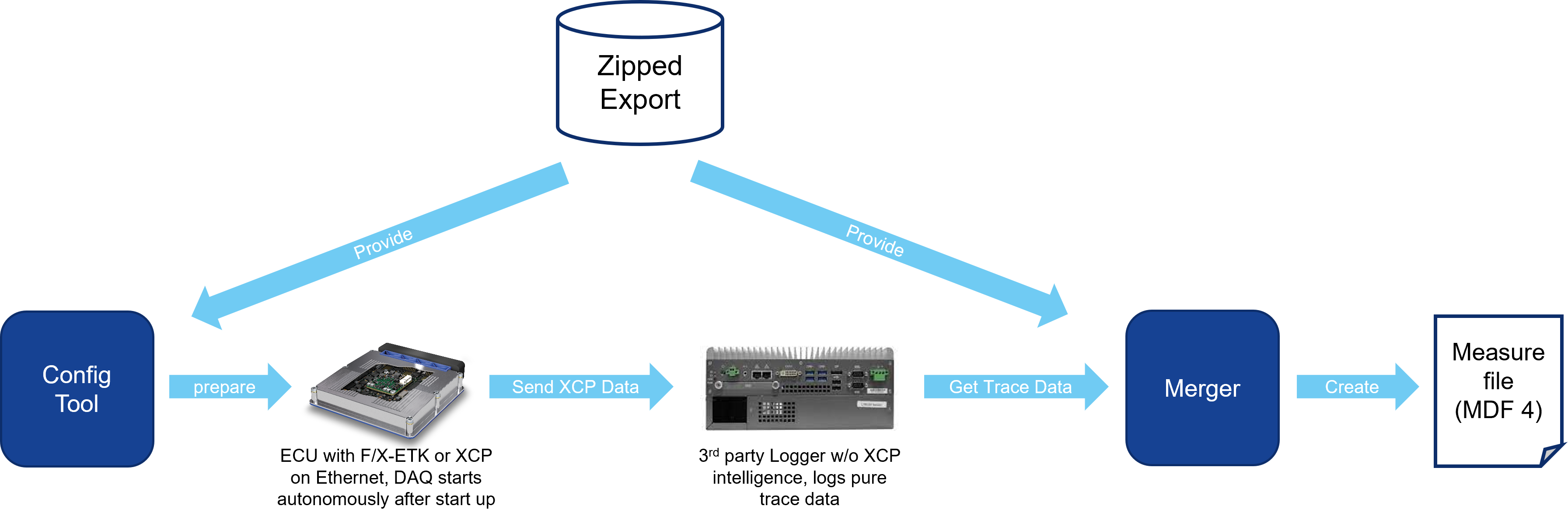
The following graphic shows an example use case for a zipped export:
To export a configuration for DAQ based measurement:
Select Hardware > Export Configuration.
The Write ZIP to dialog box opens.
Select the directory in which you want to save the ZIP file.
Enter a file name.
Click Ok.
See also