Setting Up a Workspace
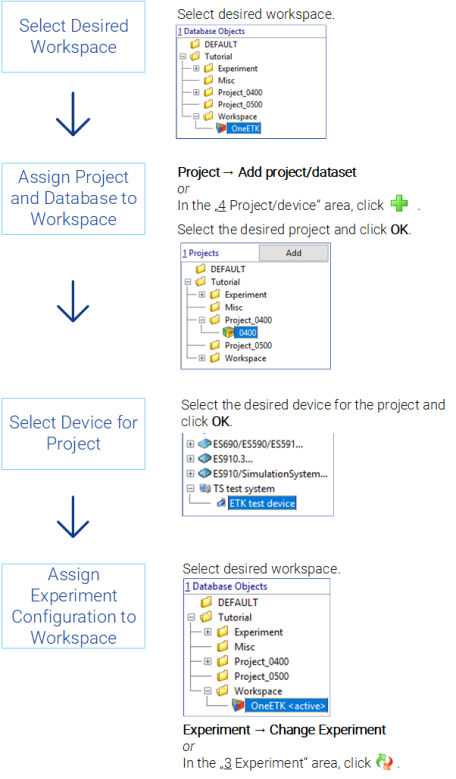
When you create a workspace in the Database Manager, it does not contain references to other database objects. To set up this workspace, you have to assign a project, select the appropriate project hardware and allocate an experiment. When you select a workspace, you can use the menus specific to each database item to modify the workspace, or you can enter the entries in the 3 Experiment, 4 Project/Device and 5 Hardware fields.
Procedure:
See also