Solution: Check if the communication to the ETAS hardware is blocked
Probably, the communication with your hardware network is blocked. This can have the following causes:
A firewall which is blocking Ethernet messages is being used.
PCs or notebooks which are used outside the ETAS hardware network sometimes use a client software for remote access which might block communication to the ETAS hardware. By mistake, the VPN client software used for tunneling filters messages. As an example, Cisco VPN clients with versions before V4.0.x in some cases erroneously filtered certain UDP broadcasts.
To solve the problem:
Contact your IT responsible to clarify whether the required permissions are given by the firewall. Details on the required permissions are given in the INCA Installation Guide in the "Troubleshooting" chapter.
CAUTION
Changes to your firewall configuration can make your system insecure!
Always consult your IT responsible and/or check the IT security policies of your company before changing your firewall configuration and reconnecting the computer to the network!- Contact your IT responsible to clarify whether an update of your VPN client is necessary.
After having fixed the firewall configuration:
Do another search for hardware (e.g. by opening the Hardware Configuration Editor and clicking in the toolbar).
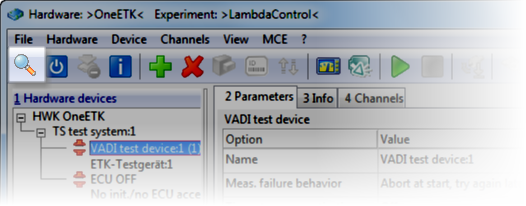
Is the problem solved?