 Step 8: Performing a Measurement
Step 9: Performing Calibrations in the Editors
The various calibration instruments display the calibration variables (scalars, curves, and maps) in the form of tables or graphics. The calibration instruments are also used as editors you can use to change the values of calibration variables directly in the visualization. INCA also assists you in operations such as offset, breakpoint and block calibrations. With curve and map editors, you can display the current process point of the engine.
The following editors are available: Calibration Window (numeric, slider or bit display), Calibration Table, Scalar Table Editor, Combined Editor.
All editors have one basic property in common: Since it is basically not possible to edit the values on the reference page, the editors change their background color to indicate whether the working or the reference page is currently being displayed. Differences in the values between the working dataset and reference dataset are also shown in the editors.
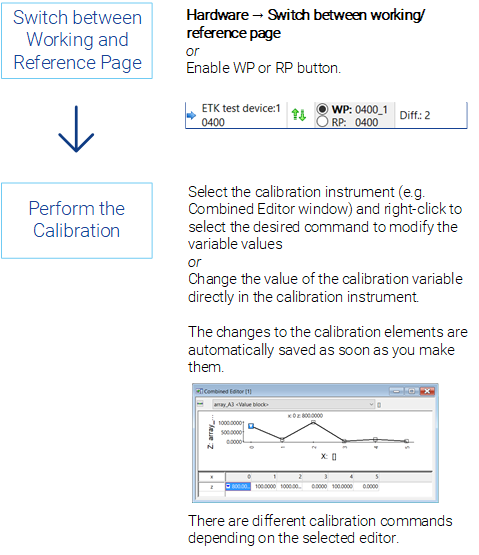
The changes made in the editors become immediately effective.
See also