Module-specific Hardware Initialization (SP0)
To shorten the time for hardware initialization if not all modules are currently needed in an experiment, you can now deactivate hardware modules in INCA.
Deactivation and reactivation is possible In the Hardware Configuration window via the context menu of the module:
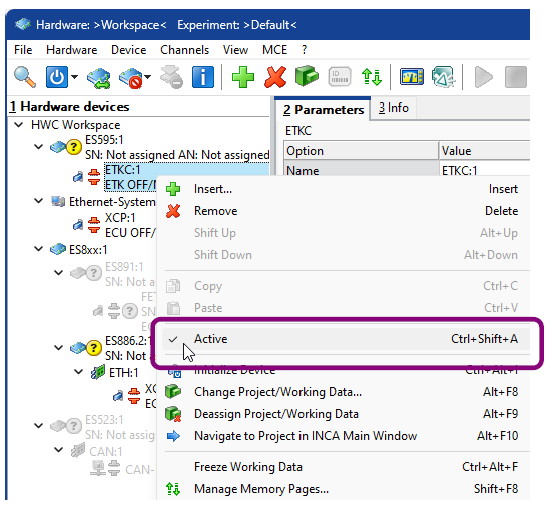
The deactivated modules and all related objects, like variables, are displayed in grey, also in the other INCA windows, like the Database Manager, the Experiment Environment and the Variable Selection window.
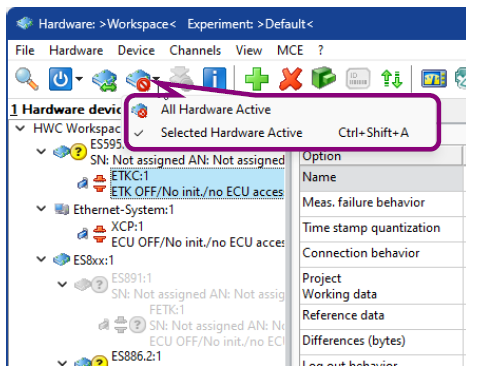
Via an icon in the toolbar of the Hardware Configuration window, you can see if all modules are activated  or if some are deactivated
  .
.
Via this icon, it is also possible to quickly reactivate all modules at once.
See also
Activating and Deactivating Hardware Modules
Back to