Append files
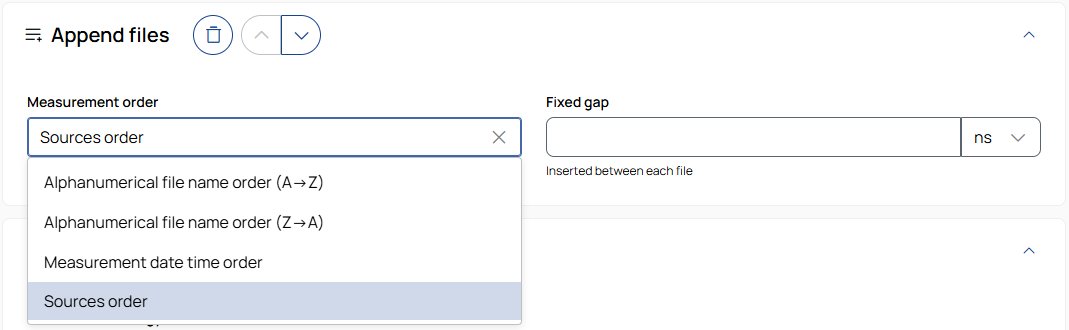
Measurement order
Defines the order in which files are appended:
Alphanumerical file name order (A→Z): Sorts files in ascending order based on their file names.
Alphanumerical file name order (Z→A): Sorts files in descending order based on their file names.
Measurement date order: Sorts files based on their measurement timestamps.
Sources order: Uses the order defined in the Sources step.
Fixed gap
Defines a fixed time gap between appended files.
To select the unit, use the drop-down list.

To remove the operation from the job, click the trash can button.

To move the operation up or down in the job sequence, use the arrow buttons next to the trash can icon.
 /
/
To expand or collapse the operation, click the arrow in the top-right corner of the operation panel.