Generating New Cycles
To generate new cycles, proceed as follows.
-
In the ASCMO-Cycle Generator window, "Cycles" list, select the cycle(s) you want to use as input for cycle generation.
-
Do one of the following.
-
Select Cycle Generators → Generate Cycles.
-
Click on Generate.
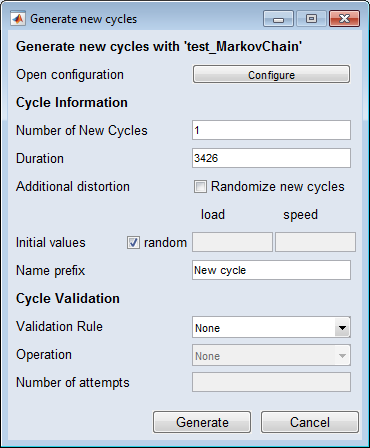
The
 "Generate new cycles" window opens.
 -
-
In the "Generate new cycles" window, enter your settings for cycle generation.
See "Generate new cycles" Window for further information.
-
Click on Generate.
The specified number of cycles is generated according to your settings.
See also
Main Window - ASCMO Cycle Generator