Configuring RTPRO-PC and ES581
Note |
|---|
Since V6.4.6, ASCET‑RP supports only the ES900 hardware system. Projects with an ES1000 hardware configuration cannot be used. To work with RTPRO-PC hardware configurations, you have to use an external INTECRIO V4.7.2 or older as hardware configurator |
In order to use RTPRO-PC and ES581 (CAN), you must adjust the ES581 device settings of RTPRO-PC. A web interface is used for that purpose.
Open the RTPRO-PC web interface via one of the following ways.
via the
 Windows start menu
via the
RTPRO-PC system tray iconvia a
web browservia the
HSP tool
The
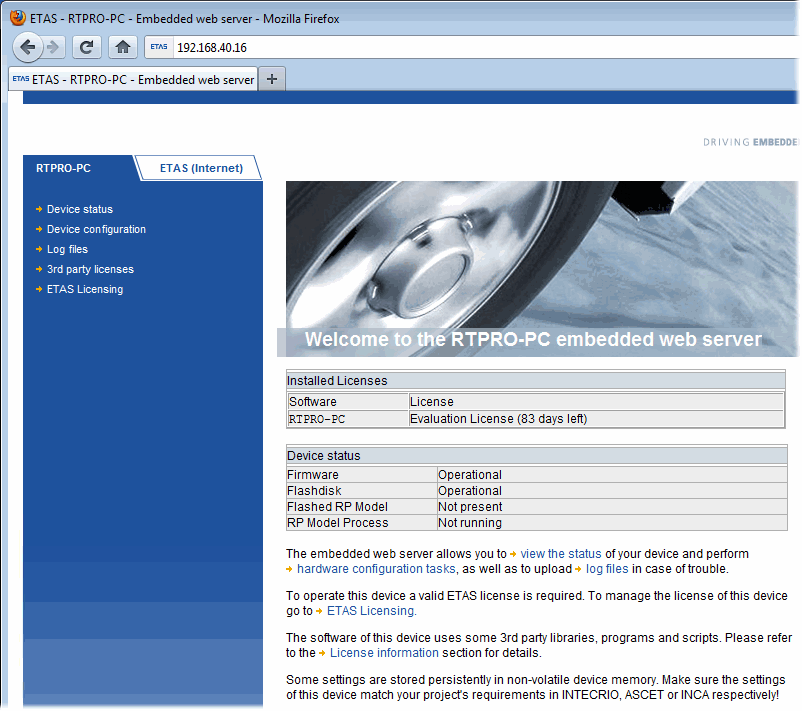
RTPRO-PC embedded web server opens.On the start page of the RTPRO-PC web interface, follow the ES581 Device Settings link.
The
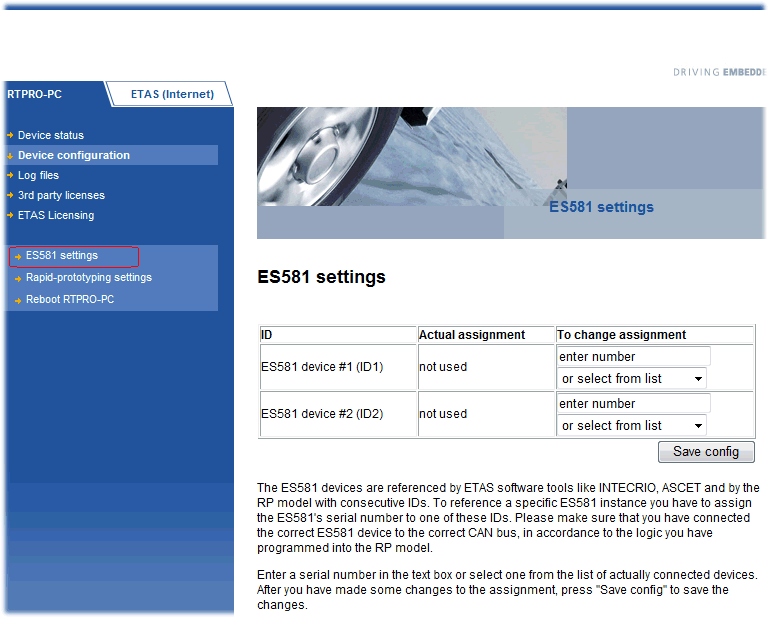
"ES581 Device Settings" page opens. The combo box for each device lists the serial numbers of the ES581 hardware connected to the simulation node.Open the combo box of each ES581 device and select a serial number.
The number is displayed in the field above the combo box.
Note
The settings here must match the ES581 settings in INTECRIO.
- Click Save config. to store your settings.
See also