Selecting an External Hardware Configurator
You can select an external INTECRIO installation as hardware configurator. If you want to use the RTPRO-PC target, you must select an external INTECRIO V4.7.2 or older.
- In the Component Manager or component editor, open the Tools menu and select Options.
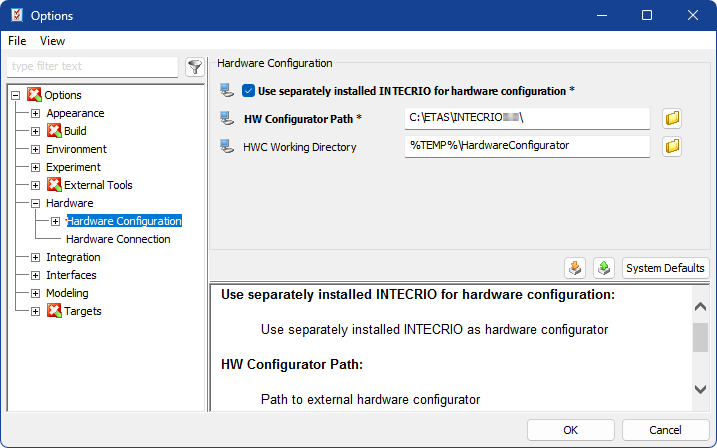
In the ASCET options window, go to the
 Hardware\Hardware Configuration node.
Activate Use separately installed INTECRIO for hardware configuration.
The HW Configurator Path field becomes available.
- In the HW Configurator Path field, enter or select (via the
 button) the installation directory of the INTECRIO version you want to use.
 - Click OK to close the ASCET options window.
 .
.When you now create or edit a project with hardware configuration, the selected INTECRIO version is used for hardware configuration instead of the built-in hardware configurator. See the ASCET‑RP User Guide for details.
See also