Open topic with navigation
The Elements palette contains buttons to create CT block elements.
Elements palette for the C code and ESDL editors for CT blocks
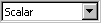
combo box to select the element dimension (Scalar or Array; see also Creating an Array in a CT Block)
Input (dimension is selected in the combo box)
Output (dimension is selected in the combo box)
Step Local Variable (dimension is selected in the combo box)
Parameter (dimension is selected in the combo box)
Global Parameter (dimension is selected in the combo box)
Dependent Parameter (dimension is selected in the combo box)
Discrete State (dimension is selected in the combo box)
Continuous State (dimension is selected in the combo box)
Constant (dimension is selected in the combo box)
Continuous Variable
One D Table Parameter (characteristic line)
Two D Table Parameter (characteristic map)
Elements palette for the block diagram editor for CT blocks
See also
Toolbar Elements
Creating an Array in a CT Block