BDE Tab
The BDE tab contains options for representation in block diagrams. The following options are available:
If this option is deactivated for a view, all assigned sequence calls and block-local sequence calls in the diagrams are hidden in this view.
Option activated
Option deactivated
Show Unused Sequence Calls
If this option is deactivated for a view, all unused sequence calls and block-local sequence calls in the diagrams are hidden in this view.
Option activated
Option deactivated
Note |
|---|
The Show * Sequence Calls options are not identical with the procedure described in Changing the Visibility of Individual Sequence Calls and Changing the Visibility of Several Sequence Calls. The menu options described there are ineffective if Show * Sequence Calls is deactivated for the current view. The Show * Sequence Calls options override the options Show Sequence Numbers, Show Method Names, and Show Process Names. If Show * Sequence Calls is deactivated, the respective sequence calls and connectors are hidden, regardless of the settings of Show Sequence Numbers, Show Method Names, and Show Process Names. |
Show Sequence Numbers
If this option is deactivated for a view, all sequence numbers in the diagrams are hidden in this view.
Option activated
Option deactivated
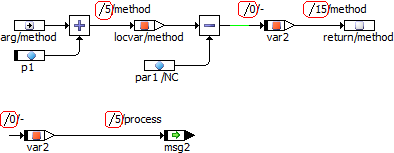
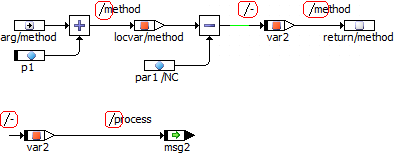
Show Method Names
If this option is deactivated for a view, all method names in sequence calls and block-local sequence calls in the diagrams are hidden in this view. Process names and empty sequence calls remain visible.
Option activated
Option deactivated
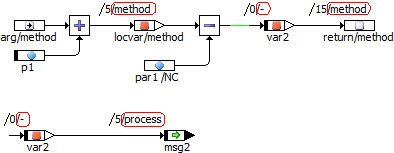
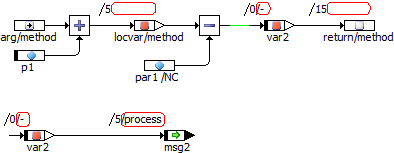
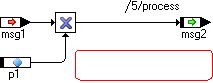
Show Process Names
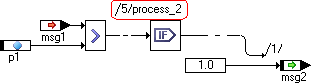
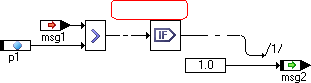
If this option is deactivated for a view, all process names in sequence calls and block-local sequence calls in the diagrams are hidden in this view. Method names and empty sequence calls remain visible.
Option activated
Option deactivated
Note |
|---|
Show Sequence Numbers, Show Method Names, and Show Process Names are overruled by the Show * Sequence Calls options. If Show * Sequence Calls is deactivated, the respective sequence calls and connectors are hidden, regardless of the settings of Show Sequence Numbers, Show Method Names, and Show Process Names. |
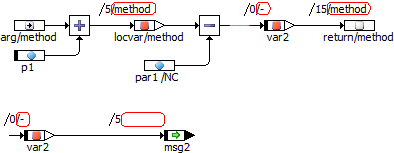
Show Method/Process for Locals
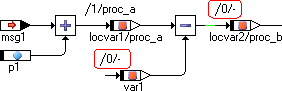
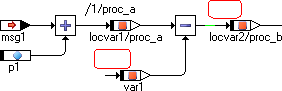
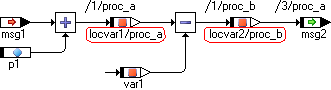
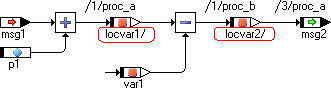
If this option is deactivated, the method names in method-local elements and the process names in process-local elements are hidden. The / separator remains visible.
Option activated
Option deactivated
Show Graphical Comments
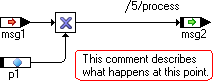
If this option is deactivated for a view, all comments in the diagrams are hidden for this view.
If the option is activated, comments are displayed. If the Invisible attribute was selected in the element-specific options for one or more comments, these comments are hidden nonetheless. For more information on element-specific options, see Editing the Views of a Diagram Item and Options for Element Types.
Option activated
Option deactivated
See also
Changing the Visibility of Individual Sequence Calls
Changing the Visibility of Several Sequence Calls