AUTOSAR Interface Editors – Window Elements
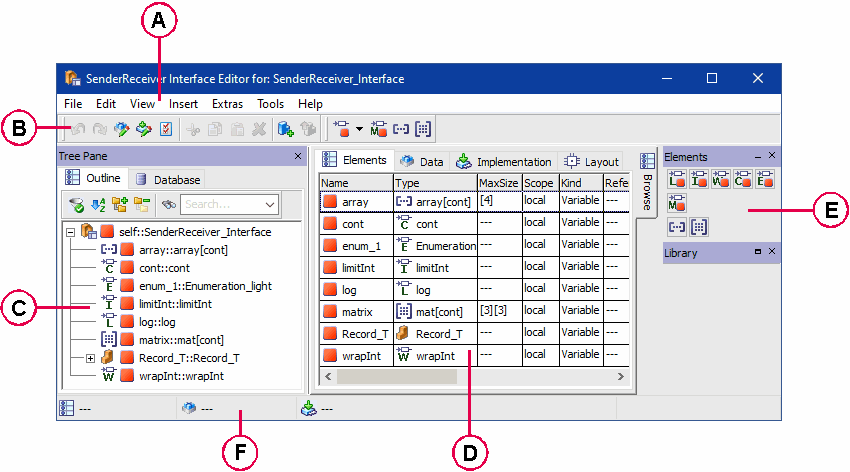
The editors for AUTOSAR interfaces contain the following window elements.
Toolbar with the following function blocks:
Tree Pane contains the following tabs:
Outline
Database / Workspace
View area contains the following view:
Palette pane (not available in the ClientServer interface editor) with the following palettes:
status bar
The status bar contains information on the element currently selected in the Outline tab (if the Mouse Over option on the Editors node of the ASCET options is deactivated) or on the element in the Outline tab or the drawing area the mouse is currently placed on (if the Mouse Over option is activated).