Get Debug Information
This function reads debug information from the selected XETK device and creates log files for troubleshooting and support purposes.
The function is available only for supported XETK devices. If the XCT is connected to a supported device, the command is available in the Hardware menu.
To get debug information:
- Connect the supported XETK device to the XCT.
- In the Hardware menu, click on Get Debug Information.
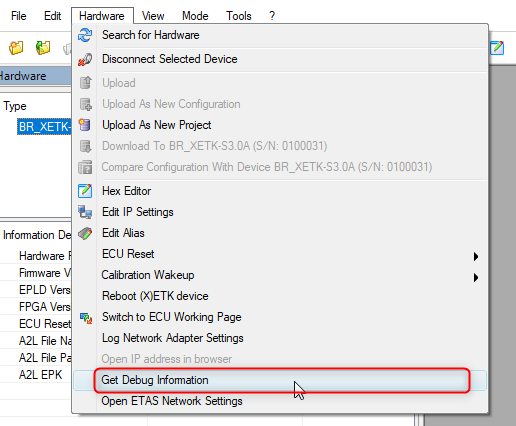
The XCT reads the debug information from the device and creates the following files in the XCT log files folder:
-
..._deviceinfo.log: Contains device information such as device type, alias, IP address, firmware versions, FPGA versions, and all supported monitoring variables including their values at the time the file was created.
-
..._devicelog.log: Contains the internal syslog buffer of the device. The buffer contains information logged by the device itself.
Provide these files to ETAS Support if debug information is requested for further analysis.
See also