Zooming
To adapt the value or time axis ranges for the best representation of your data, MDA provides several zoom possibilities.
You can perform the following actions:
 Navigating in Instruments.
- Press either Ctrl and the left mouse button or just the right mouse button.
-
While keeping the button pressed, move the cursor along a value axis or along the time axis.
Depending on the mouse movement, the zooming is performed as follows:
-
Time zoom (horizontal movement)
-
Value axis zoom (vertical movement)
The selected zoom area is highlighted.
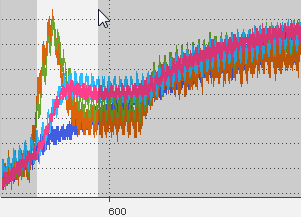
If you zoom in deeply, sample markers
 Graphical elements which appear when individual measured value can be differentiated in an oscilloscope. are displayed. To change the appearance of the sample markers, see To define the appearance of the signal.
 -
If the time range is not completely displayed in the oscilloscope, the time axes can be adapted to show the full time range.
-
Click
 .
.Alternatively, you can perform this operation by using the time slider. For more information, see To show the full time range of the measure file.
If a signal is not completely displayed in the oscilloscope strip Part within an oscilloscope which its own y axes and signal assignment. All strips of an oscilloscope share the same x axis., the value axis can be adapted to show the complete value range. Do one of the following:
- To adapt selected signals, right-click the signals in the signal list or right-click the signal directly in the strip.
-
In the context menu, click Zoom to fit Signal(s).
or
- To adapt all signals of a selected strip or value axis specifically, right-click the strip or value axis.
-
In the context menu, click Zoom to fit Signal(s).
or
- To adapt all signals in all strips, click
 .
.