View Available Downloads
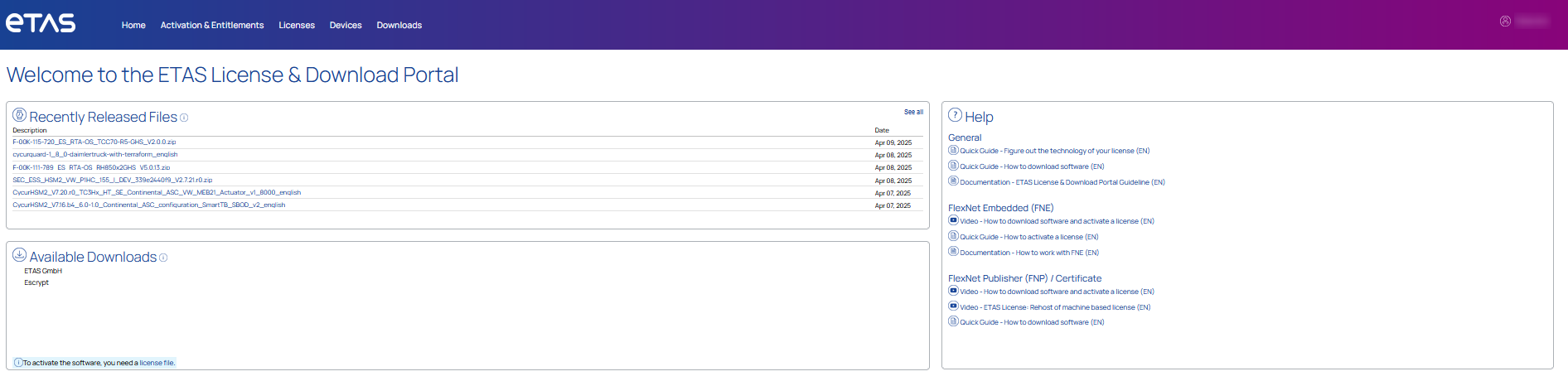
The view Home will give you an overview of available downloads and recently added download files of your ordered product(s).
Please be aware of by selecting one of the recently released files, it will takes up to 10 seconds until to get files data.
For accessing to available downloads area, you can either select a specific product family from the Homeview in the area of available downloads, OR
-
Navigate to Downloads
-
Click Available Downloads
-
By selecting one product family, you get the lists of available download packages regarding to your product.
Each product belongs to a product family and all download packages are assigned to the corresponding product family.
Now you can see in the tab “New Versions” the current available download packages for your product. Older download packages will be available in the “Previous Versions” only in the case if you bought older versions of the product ion the past. For download of files please select a filename.
Each download package contains a number of files. By selecting a download package, you get the files provided as list again, but please be aware, it will takes up to 10 seconds until to get files displayed. If do that for the first time, you need to accept the EULA once.
-
For more description of a file, please click on
 .
. -
The tab Downloads Log summarizes all your taken downloads. If you select a file, you get the log of your downloads with time stamp.
-
The tab Notification Log summarizes all messages, which you get for your product e.g. like product updates etc.
See also