User Management for Download
With the User Management you can create a user based on an existing Entitlement ID/Activation ID for your company or you can perform an extension for existing user based on Entitlement ID/Activation ID.
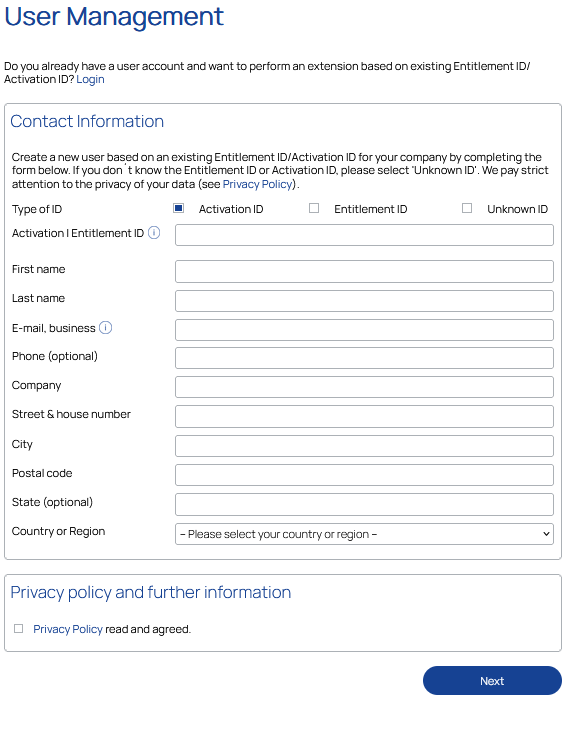
-
To start the process for user management, navigate to User Management for Download License.
-
.To start the process click here at the end of the dialog or User Management for Download License.
-
Fill in all the fields in the Contact Information section.
Optional fields are marked with (optional). -
To finalize this process, click Next.
The registration is always completed with a message.
|
Note |
|
The user credentials will be sent to the e-mail address specified here. Only business e-mail addresses are allowed. |
If the user account has been created, you will receive the corresponding message and an e-mail with the login information will be sent to the specified e-mail address.
If you do not receive an e-mail, please check:
-
The provided e-mail address
-
Your spam folder
If these are not the causes, please contact our support.