Navigating Between Layers
Navigating between layers is possible via the Find Layer combo box. This feature provides a quick and efficient way to locate and select specific layers within your project.
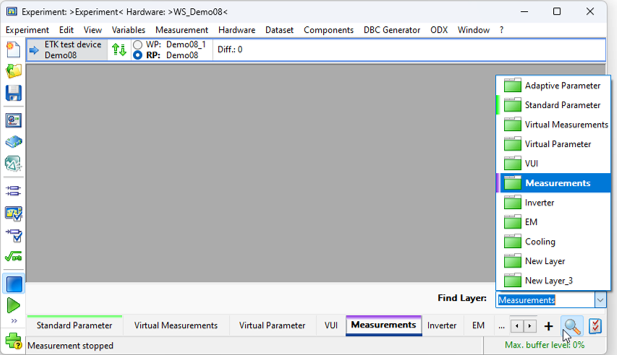
Accessing the "Find Layer" Combo Box
The Find Layer combo box in the INCA Experiment Environment module can be accessed in several ways:
Keyboard shortcut | Ctrl + Shift + F |
Select Layer by Name icon |
|
Main menu | View > Find Layer... |
Layer properties icon |
|
Layer context menu | Right-click on layer bar > Find Layer... |

 >
> Using the "Find Layer" Combo Box
Enter Search Text in Search Field
Type your search query into the edit field. The combo box will dynamically display a list of layers whose names match the entered text. Select the desired layer.
Select a Layer from the Layer List
Choose the desired layer from the list. The selected layer will then be highlighted in the Layers panel and displayed.
Cancel Search
Press the Escape key to cancel the search without selecting a layer.
See also