Solution: Check for potential causes - checklist
If the interface module can be found, but the device connected to that interface is not accessible, a number of (sometimes device-specific) potential causes may apply.
To solve the problem:
Check for the following potential causes:
Is the device in sleep mode?
In order to save power, some ETAS devices will go to sleep mode if they do not see that they are connected to another device/computer. To solve that, connect your Ethernet cable from your computer to the "HOST"/"Sync In" port on the device. After the device turns on, connect to the device using the web interface and change the settings so that the device stays always on. Consult the device's manual for details on how to do that.
- Is the ignition on?
- Is the ECU powered?
- Does the project description (*.a2l) comply with the ECU?
- Is the device connected to the correct port of the interface module (e.g. CAN1 and CAN2 have not been confounded)?
Are the required termination resistors for the corresponding bus used?
Note
See the module's user's guide for details on the required termination resistor.
There may be other causes which are not covered in this list.
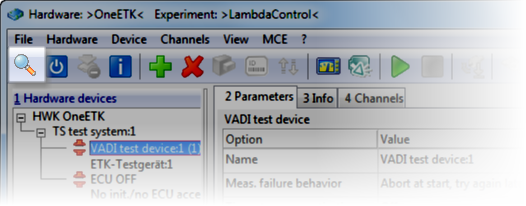
Do another search for hardware (e.g. by opening the Hardware Configuration Editor and clicking in the toolbar).
Is the problem solved?