Automatic Search for and Configuration of OBDonCAN Devices and OBDonUDS Devices
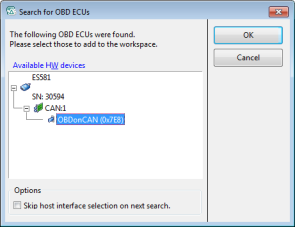
In ODX-LINK, it is possible to search for all connected devices that support OBDonCAN or OBDonUDS, on CAN or on Ethernet.
To do so, in the Hardware Configuration Editor, click
Hardware > Search For OBD ECUs > on CAN
or
Hardware > Search For OBD ECUs > on Ethernet
An OBDonCAN or an OBDonUDS device with the correct OBD parameters (baud rate and CAN-ID, respectively DoIP target address and IP address) is automatically added to the hardware configuration for every ECU found.
For more details, refer to the corresponding tutorial chapters in the ODX-LINK User Guide:
Click ? > Manuals and Tutorials.
Using the OBDonCAN (SAE J1979)Protocol with ODX-LINK
Using the OBDonUDS (SAE J1979-2)Protocol with ODX-LINK