Adding Diagnostic Signals
To make diagnostic signals available for use in the Variable Selection dialog box, proceed as follows:
To add diagnostic signals
- Open the experiment.
Select ODX>User views>Diagnostic Services.
The "Diagnostic Services" window opens.
- Select Configure.
Select the option "Create Measurement Signals from Response Parameters".
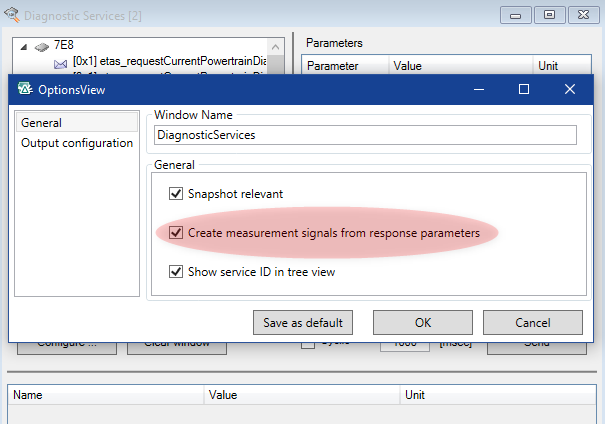
Click OK.
Note
Signals are created for the logical link (and thus also only for the corresponding device in the Variable Selection dialog box) for which you have selected the service!
Note
The selection of this option only applies for the services sent subsequently within the current experiment session and is not saved in Save as default!
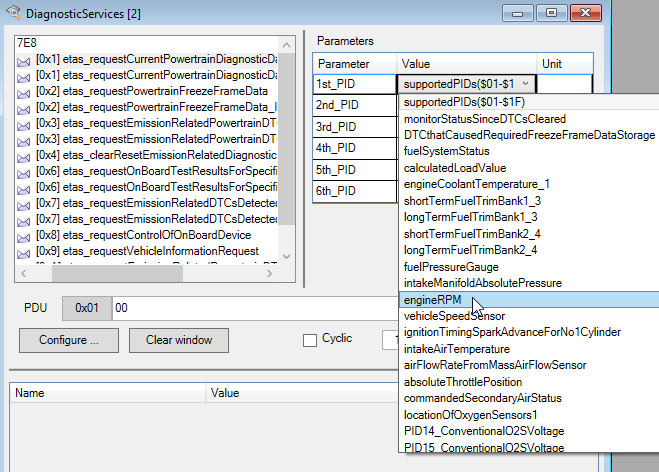
Select the service and the parameter you want to measure (and thus add to the DSL).
Click Send.
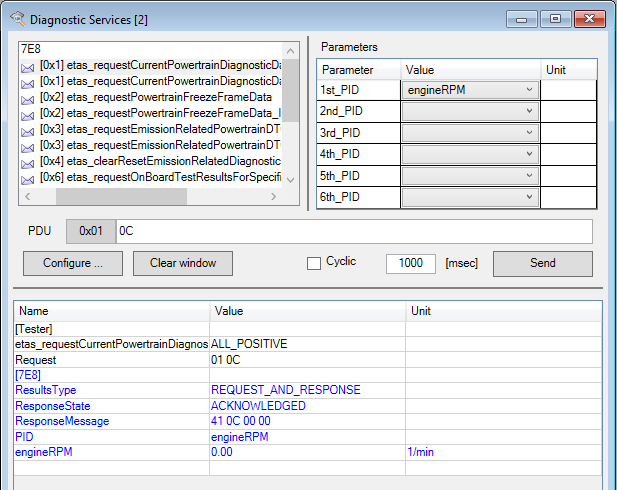
One signal is added to the DSL for every numeric value (Integer/Float) in the response.
Close the experiment.
A note is displayed explaining that the ODX project has been modified (as new signals have been defined) (the diagnostic signal list is saved with the ODX project in the INCA database) and asking whether you want to save the ODX project.
- Select Yes to save the new signals.
- Open the experiment again.
Select Variables>Variable Selection.
The added diagnostic signals are displayed (here in group "Mode1").
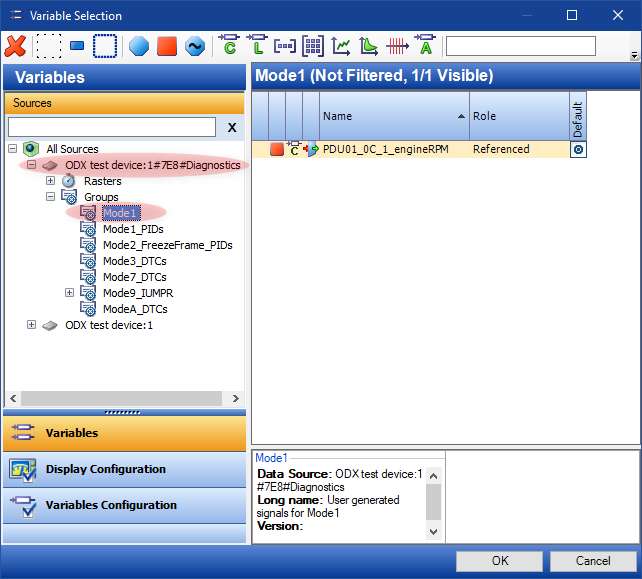
- Select the signal in the list and right-click it.
- Select Add to>Layer_1>New>Measure Window to display the signals and click OK.
Select Measurement>Start Visualization.
The measured diagnostic signals are displayed.
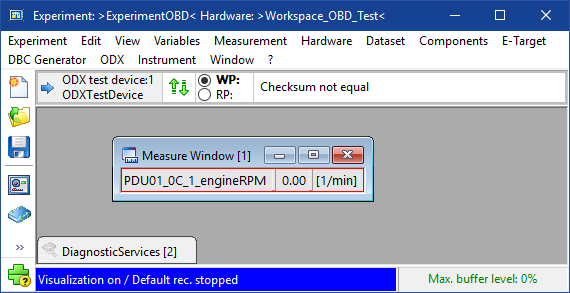
- Stop the measurement.
To include signals for all data that can be called up using this service in the list of diagnostic signals, select ODX>User views>Service Inspector.
The "Service Inspector" window opens.
- Click Configure.
- Here too, activate the option "Create Measurement Signals from Response Parameters".
Select (on the left-hand side of the window) "Request Service" and then the required service on the right-hand side of the window.
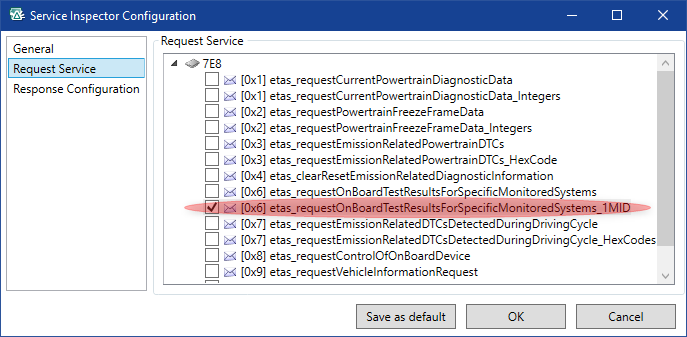
If you need to configure the response, select "Response Configuration" and configure the response accordingly.
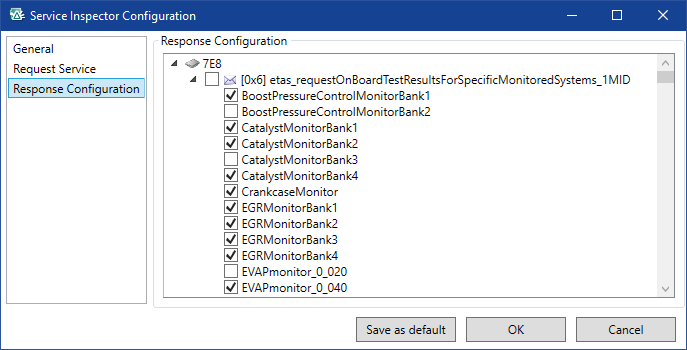
- Click OK.
Click Read in the "Service Inspector" window.
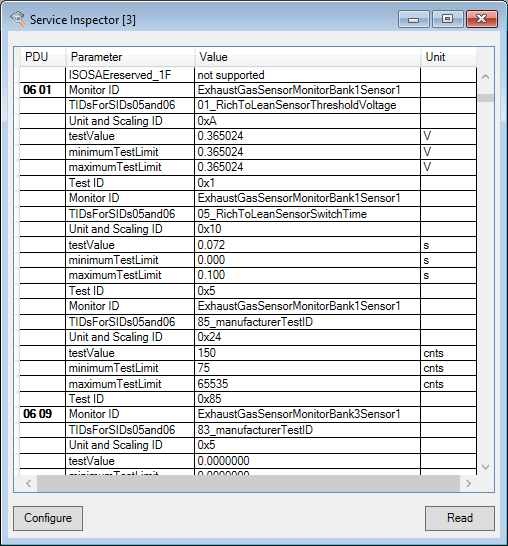
One signal is added to the DSL for every numeric value (Integer/Float) in the response.
Close the experiment.
A note is displayed explaining that the ODX project has been modified (as new signals have been defined) (the diagnostic signal list is saved with the ODX project in the INCA database) and asking whether you want to save the ODX project.
- Select Yes to save the new signals.
- Open the experiment again.
Select Variables>Variable Selection.
The added diagnostic signals are displayed (here in group "Mode6").
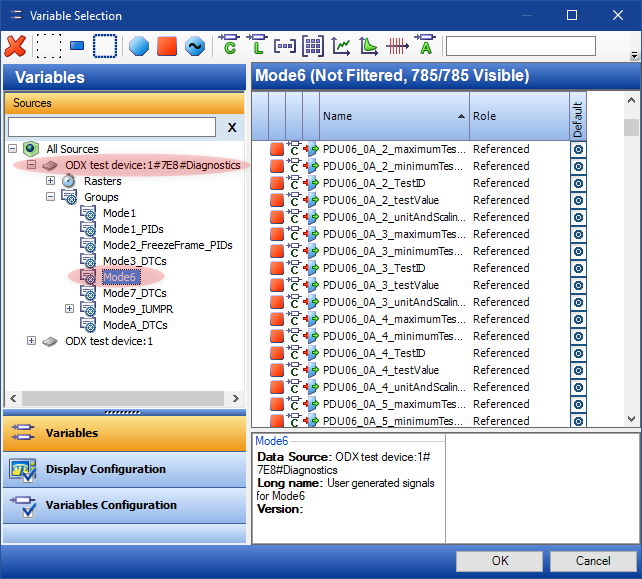
- Select the signals in the list, add them (as above) to a measure window and start the measurement.