Phasor Diagram
This window contains the following features:
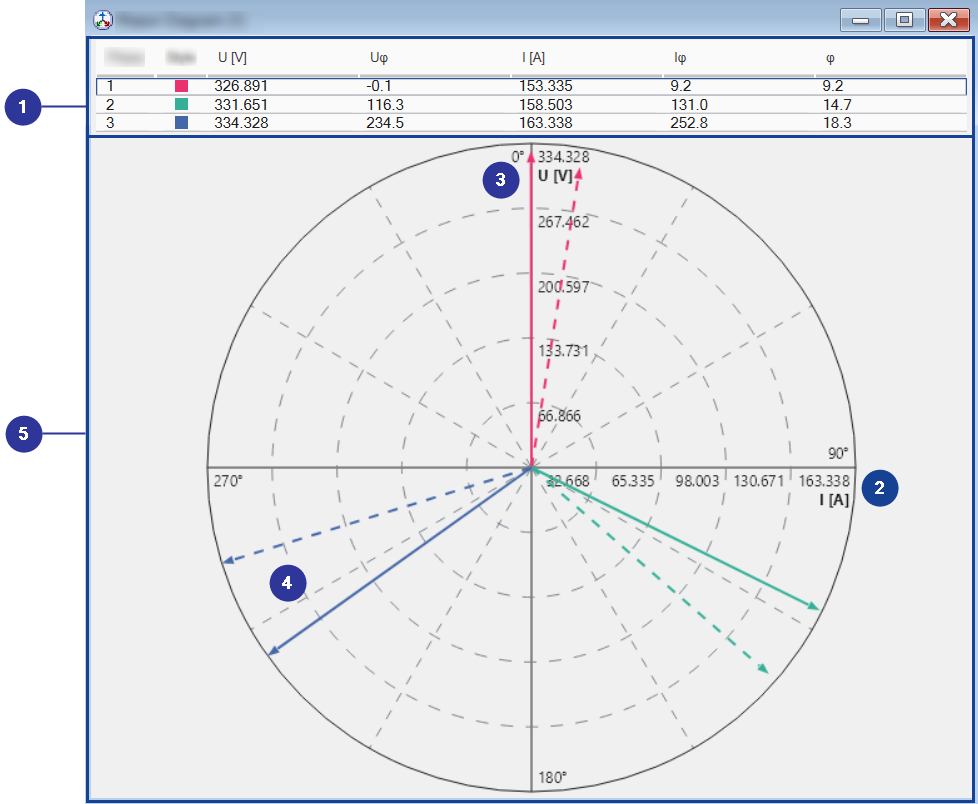
Signal list
Displays the used measure variables.
You can add, remove, copy, and move variables to other windows via the context menu of the signal list.
x-Axes
Displays the axis for the current.
y-Axes
Displays the axis for the voltage
Angle
Displays the phase shift between voltage and current
Display area
Presents voltage, current and the phase shift graphically. The voltage is represented by a solid arrow. The current is represented by a dotted arrow. The phase is the angle between voltage and current.
Drag & Drop
You can assign signals to the Phasor Diagram via drag and drop.
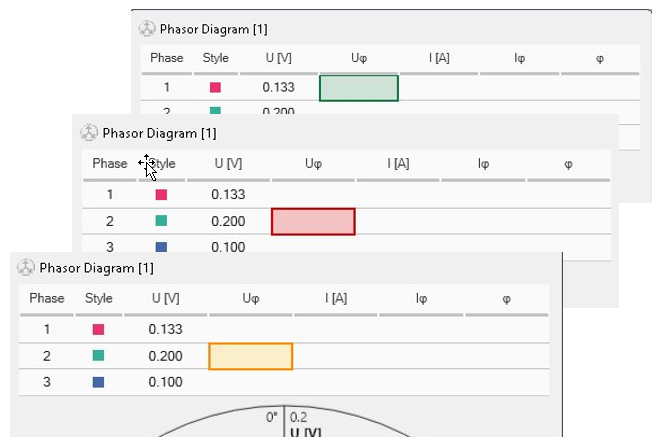
Visual guidance
 Target: The column from the hover point and below is assigned.
 Allowed: The entire drop path is clear.
 Blocked: A cell in the path is occupied.
 Warning: The assignment is allowed, but there is already a signal in the instrument.
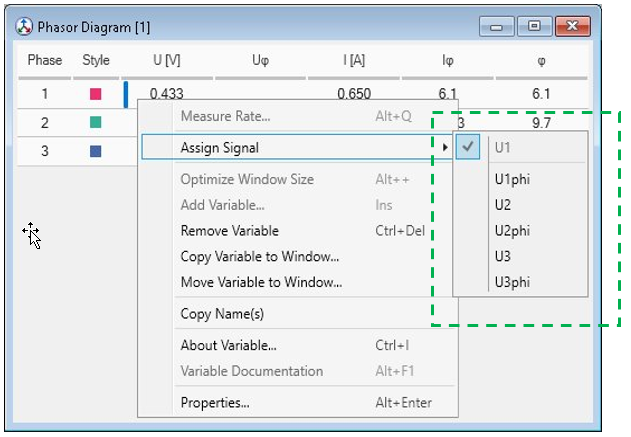
Guided context menu
Right-click a cell to see a clean list of available signals.
The menu shows only unassigned signals and grays signals out that are not available any more.
Conflict auto-resolve
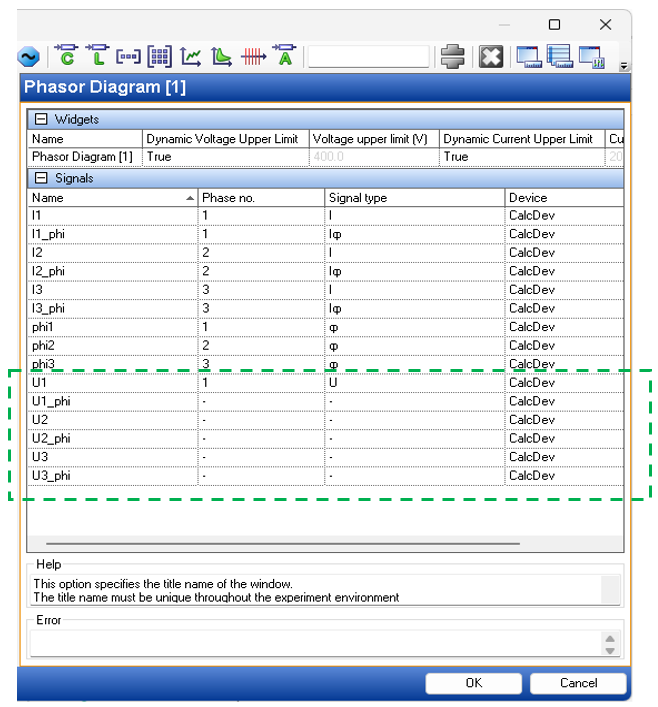
Prevents duplicate assignments across VSD.
Instantly resets conflicting attributes to "-".