CDM – UX Improvements (SP 2)
Copy & Paste single Cells
Copy and paste of cells is now possible, independent of the following properties:
Source / destination
Parameter name
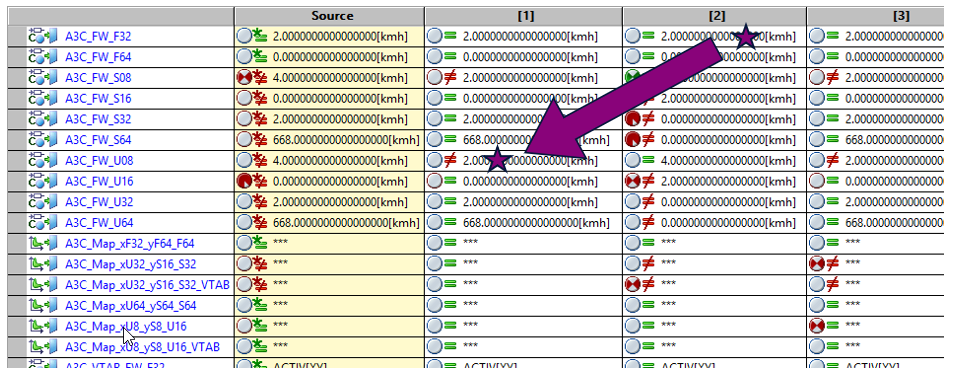
To copy and paste a single cell
Select the cell to be copied with Ctrl-C.
Select the target cell with Ctrl-V.
The CDM pastes the copied cell if the following conditions are fulfilled:
Data type fits
No bounds are violated
Change Order of Datasets
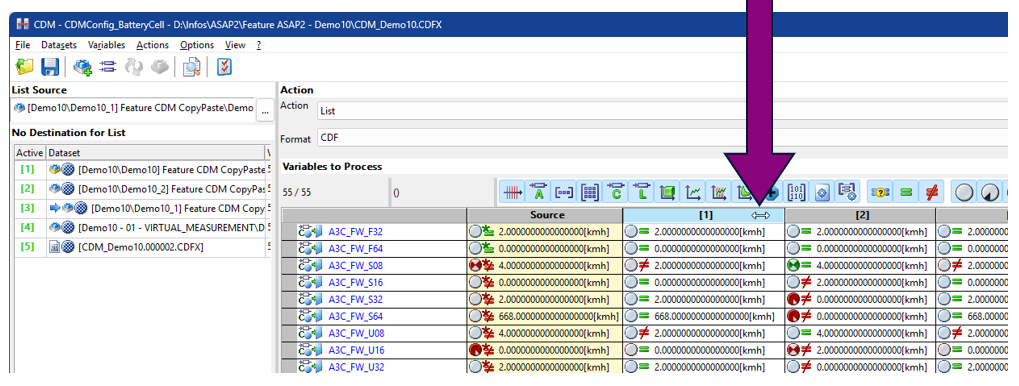
Changing the order of datasets is now possible via drag and drop. You can select the data column by mouse click and drag it to a new position.
Two options for change are possible:
From a source to a destination
From one destination to another destination
Back to