Centralized Logging
If you encounter a specific problem and need help from ETAS for troubleshooting, exact log files might be required for reproducing and analyzing the situation properly. The centralized logging feature helps you view, zip, and send the log files.
To open the logging configuration in the Database Manager window, click ? > LOG Files > Configure logging....
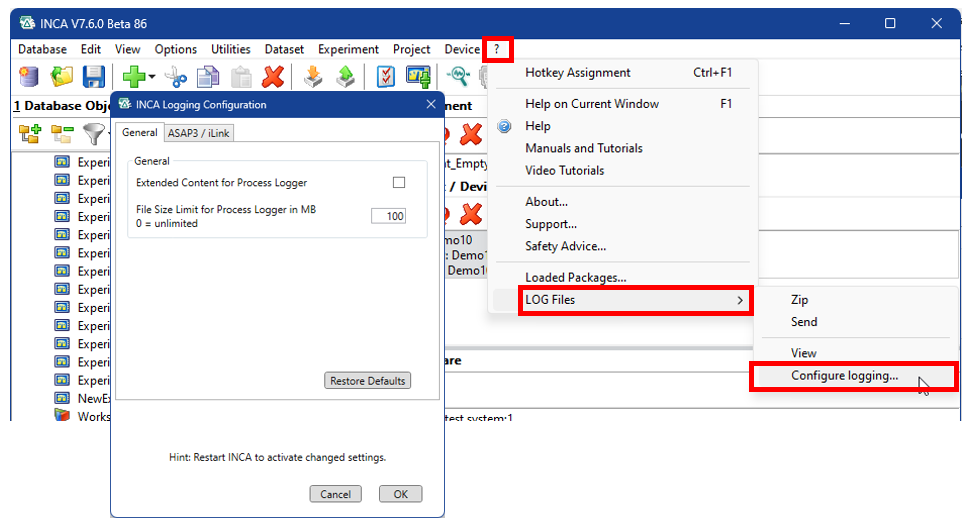
After changing the settings in INCA Logging Configuration, restart INCA to make the changes effective.
Note |
|---|
Activation of the logging options have an influence on the performance of INCA. For higher performance, you can deactivate the logging options. |