Status indicator
The ES570.1 is equipped with 20 LEDs for displaying the module's operating state, as well as for displaying the function of the four Automotive Ethernet interfaces.
ON
|
LED code |
Display |
State |
|---|---|---|
|
|
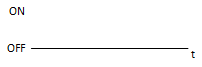
Off |
Module is switched off. |
|
|
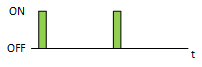
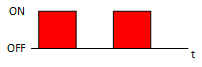
Flashing green
|
Module is on standby. |
|
|
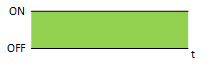
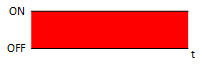
Lit green |
Module is switched on. |
|
|
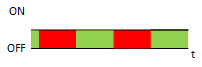
Flashing green and red |
Module is booting. Do not disconnect the module from the power supply. |
|
|
Lit red |
Module is in error state. |
|
|
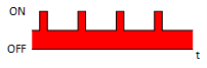
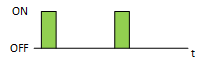
Flashing red |
Module recognition |
°C
|
LED code |
Display |
State |
|---|---|---|
|
|
Off |
Module temperature is OK. |
|
|
Flashing red |
Critical module temperature reached. |
|
|
Lit red |
Critical module temperature exceeded. |
SYNC
|
LED code |
Display |
State |
|---|---|---|
|
|
Off |
No synchronization. |
|
|
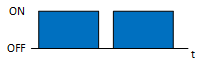
Flashing blue |
Module is synchronization master. |
|
|
Lit blue |
Module is synchronized externally. |
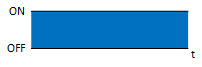
HOST link (right)
|
LED code |
Display |
State |
|---|---|---|
|
|
Off |
No connection. |
|
|
Lit yellow |
Connection established. |
|
|
Flashing yellow |
Interface communication. |
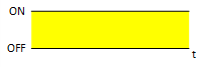
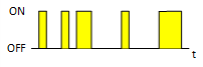
HOST speed (left)
|
LED code |
Display |
State |
|---|---|---|
|
|
Off |
No connection. |
|
|
Lit green |
Communication speed 2.5 Gbit/s |
|
|
Lit orange |
Communication speed below 2.5 Gbit/s |
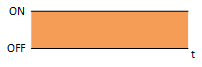
pONl
|
LED code |
Display |
State |
|---|---|---|
|
|
Off |
Quick start deactivated. |
|
|
Lit green |
Quick start activated. |
AE1-4 link (right)
|
LED code |
Display |
State |
|---|---|---|
|
|
Off |
No connection. |
|
|
Lit yellow |
Connection established. |
|
|
Flashing yellow |
Interface communication. |
AE1-4 speed (left)
|
LED code |
Display |
State |
|---|---|---|
|
|
Off |
No connection. |
|
|
Lit green |
Communication speed 1 Gbit/s |
|
|
Lit orange |
Communication speed 100 Mbit/s |
INJ
Reserved for future use.
M/S
One LED per AE connector.
|
LED code |
Display |
State |
|---|---|---|
|
|
Off |
The AE interface operates as slave. |
|
|
Lit green |
The AE interface operates as master. |
|
|
Flashing green |
The AE interface searches for master or slave role. |
!
|
LED code |
Display |
State |
|---|---|---|
|
|
Off |
The AE interface is configured for TAPing. |
|
|
Lit yellow |
The AE interface is configured for single-device use. |