Status indicator
The ES166.1-FE displays the device status and the connection speed to the host with colored LEDs.
Connection status of Automotive Ethernet (AE)
Default connection mode and connection speed after a restart: Auto
Device power state information
On
|
LED code |
Display |
State |
|---|---|---|
|
|
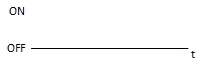
Off |
Power off |
|
|
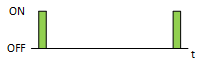
Flashing green |
Standby |
|
|
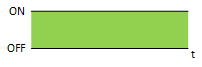
Lit green |
Power on |
Time synchronization
Sync
|
LED code |
Display |
State |
|---|---|---|
|
|
Off |
No synchronization |
|
|
Flashing blue |
Module is synchronisation master |
|
|
Lit blue |
Module receives external synchronisation |
|
|
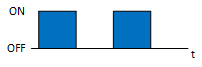
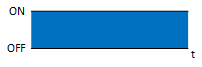
Flashing blue |
Functionality check ongoing. Flashing in combination with following LEDS: |
Error LED
Error/Busy
|
LED code |
Display |
State |
|---|---|---|
|
|
Off |
Operational |
|
|
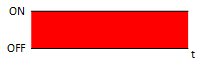
Lit red |
Functional error |
|
|
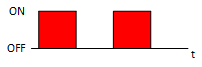
Flashing red |
Device is busy e. g. updated |
|
|
Flashing red |
Functionality check ongoing. Flashing in combination with following LEDS: |
HOST area
1000 Mbit
|
LED code |
Display |
State |
|---|---|---|
|
|
Off |
No link established |
|
|
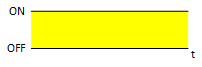
Lit yellow |
Link established (1000M) |
|
|
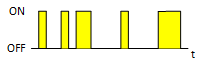
Irregular flashing yellow |
Traffic on (1000M) |
100 Mbit
|
LED code |
Display |
State |
|---|---|---|
|
|
Off |
No link established |
|
|
Lit yellow |
Link established (100M) |
|
|
Irregular flashing yellow |
Traffic on (100M) |
Mode
Media Converter
|
LED code |
Display |
State |
|---|---|---|
|
|
Off |
Device off or gateway mode selected |
|
|
Lit green |
Media converter mode selected |
|
|
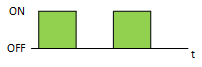
Flashing green |
Functionality check ongoing. Flashing in combination with following LEDS: |
Gateway
|
LED code |
Display |
State |
|---|---|---|
|
|
Off |
Device Off or media converter mode selected |
|
|
Lit green |
Gateway mode selected |
|
|
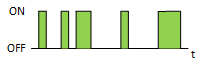
Irregular flashing green |
Traffic on T1S bus |
|
|
Flashing green |
Functionality check ongoing. Flashing in combination with following LEDS: |
Injection
|
LED code |
Display |
State |
|---|---|---|
|
|
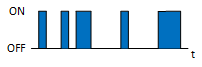
Irregular flashing blue |
Transmit to T1S bus |
|
|
Flashing blue |
Functionality check ongoing. Flashing in combination with following LEDS: |
PLCA
PLCA Coordinator
|
LED code |
Display |
State |
|---|---|---|
|
|
Off |
PLCA disabled or device configured as PLCA Follower |
|
|
Lit blue |
Device configured as Coordinator |
|
|
Flashing blue |
Invalid PLCA configuration |
|
|
Flashing blue |
Functionality check ongoing. Flashing in combination with following LEDS: |
PLCA Follower
|
LED code |
Display |
State |
|---|---|---|
|
|
Off |
No activity or PLCA disabled or device configured as PLCA Coordinator |
|
|
Lit blue |
Device configured as Follower |
|
|
Flashing blue |
Invalid PLCA configuration |
|
|
Flashing blue |
Functionality check ongoing. Flashing in combination with following LEDS: |