Version 14.4 (October 2026)
Navigator
The new Quick Start page
-
recently opened content
-
add-ons with license check
-
features and functionalities with learning material and much more!
Container-Build
EHANDBOOK Container-Build 14.4.0 - What’s New & Release Overview
Welcome to EHANDBOOK Container-Build version 14.4.0! This release introduces several new capabilities and enhancements, including support for AI permission metadata in encrypted EHANDBOOK containers, enhanced Goto and From block support, UGG generation for Simulink model ZIP packages containing required C header files, equation support in Simulink annotation blocks, and n-ary operators for improved visualization of C-code-generated interactive models.
-
New Feature: AI Allowance for Encrypted EHANDBOOK Containers
-
New Feature: Support UGG Generation for Simulink Model ZIPs Containing Required C Header Files
-
New Feature: Rendering Support for Stateflow Entry and Exit Ports
-
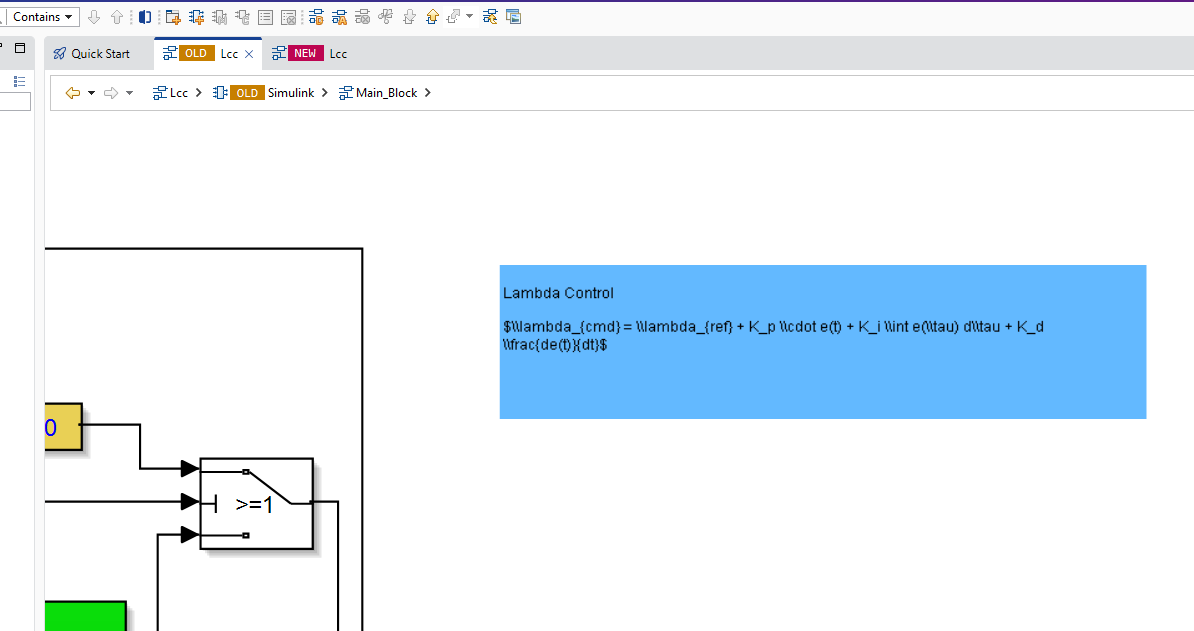
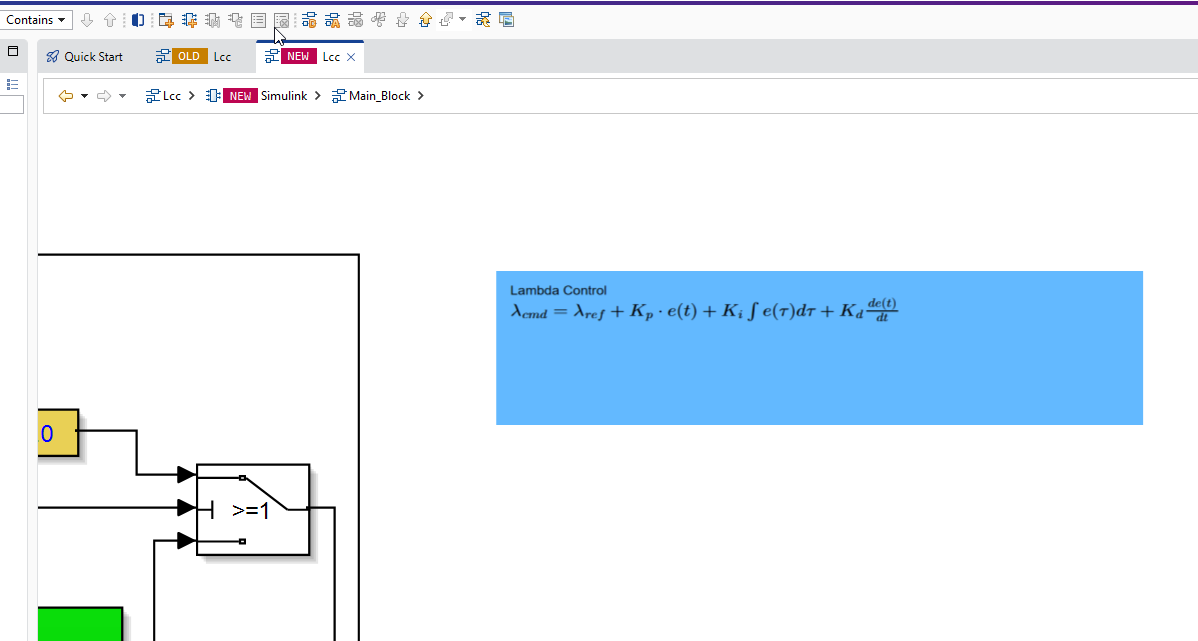
New Feature: Support LaTeX Equations in Simulink Annotation Blocks
-
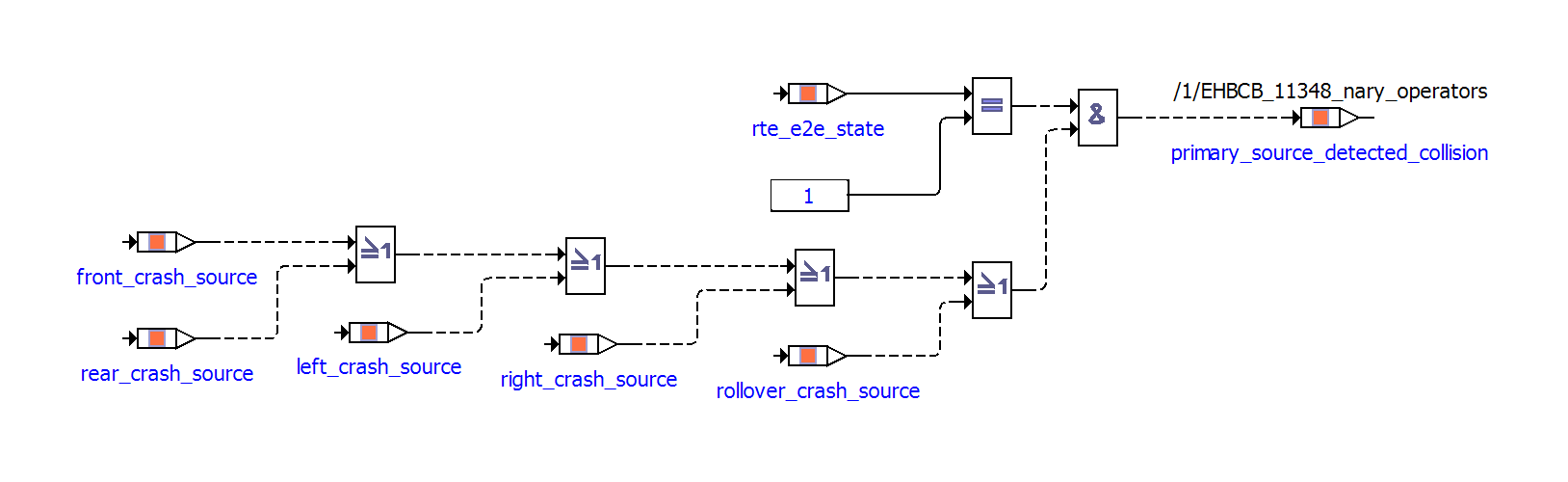
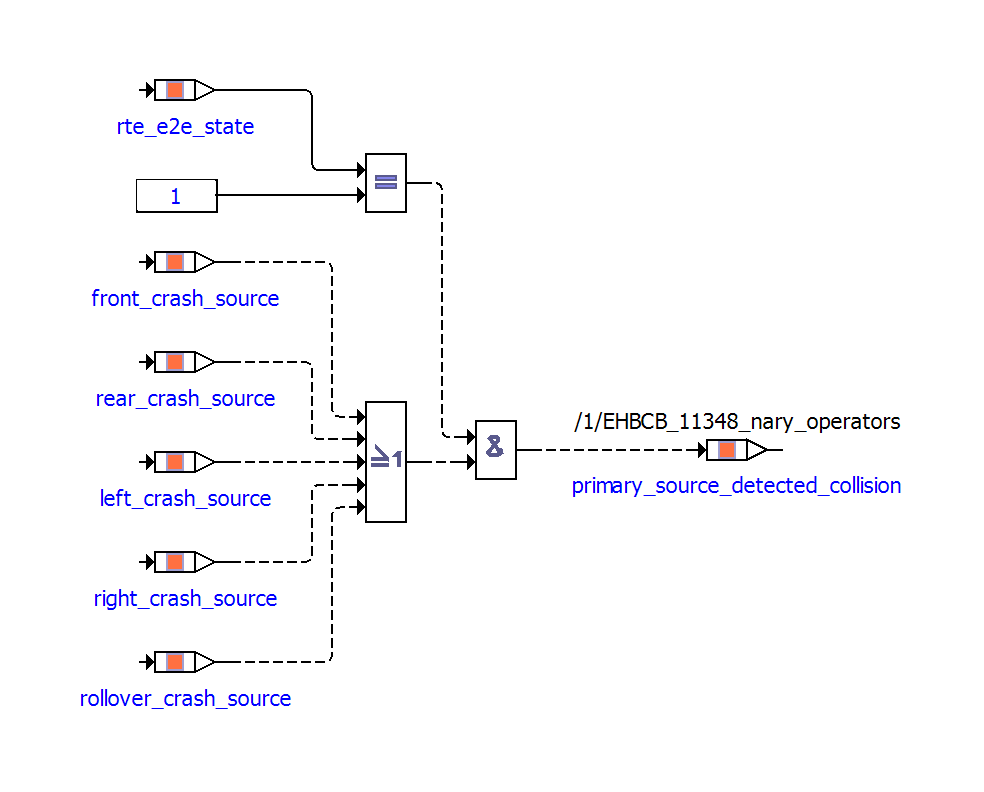
Enhancement: Support N-ary Operators for Improved Visualization of C-Code Models
AI Allowance for Encrypted EHANDBOOK Containers (New Feature)
As part of the IP Protection Control for EHANDBOOK initiative, Container Build introduces support for a new -allowai parameter to enable controlled AI usage for encrypted EHANDBOOK .ehbcrypt containers.
The -allowai parameter can be used when generating new encrypted containers or repackaging existing encrypted containers.
For detailed information about the -allowai parameter and supported use cases, see AI Allowance for Encrypted EHANDBOOK Containers.
Support UGG Generation for Simulink Model ZIPs Containing Required C Header Files (New Feature)
UGG now supports Simulink model ZIP packages that contain required C header (.h) files. This enables UGG to generate the required images and artifacts without requiring users to manually remove header files from the model package.
When both Simulink and C-code files are present in the ZIP package, Simulink takes precedence during processing.
Rendering Support for Stateflow Entry and Exit Ports (New Feature)
EHANDBOOK Container-Build now supports rendering of Entry and Exit ports in Stateflow models. Entry and Exit ports are used in Simulink subsystems to define signal boundaries - Entry ports receive signals into a subsystem, while Exit ports send signals out of a subsystem.
With this enhancement:
-
Entry and Exit ports are now correctly rendered in the interactive model view in EHANDBOOK Navigator.
-
Port labels are displayed consistently with the Simulink model.
Support LaTeX Equations in Simulink Annotation Blocks (New Feature)
LaTeX equations (formulas) in Simulink annotation blocks are now rendered in EHANDBOOK with an appearance similar to Simulink. Equation rendering is supported in both PDF documents and KAOM-based interactive model views.
| Before | After |
|---|---|
|
|
Enhanced Simulink Goto and From Block Support (Enhancement)
EHANDBOOK now provides enhanced navigation between related From and Goto blocks in Simulink models. You can navigate directly between related blocks using the Navigate to Related Blocks feature available from the context menu and toolbar. The enhancement supports navigation from a Goto block to its related From blocks and from a From block back to its source Goto block. The related blocks are displayed in a Related Blocks list, making it easier to identify and access the corresponding blocks in large Simulink models. When you select a related block, EHANDBOOK Navigator automatically opens the required subsystem hierarchy and highlights the selected block in the model.
For more information, see Enhanced Simulink Goto and From Block Support.
GitHub demo: https://e/master/02-Simulink/04-From-Goto
Support N-ary Operators for Improved Visualization of C-Code Models (Enhancement)
C-Code visualization is enhanced to represent chains of compatible associative operators as a single multi-input operator block in generated interactive models.
For example, expressions such as a || b || c || d, a && b && c && d, a + b + c + d, and a * b * c * d are shown as one operator block with multiple input ports instead of several cascaded binary operator blocks.
This reduces diagram depth and makes C-Code-generated interactive models easier to read and navigate.
primary_source_detected_collision =
    (rte_e2e_state == 1) &&
    (front_crash_source ||
     rear_crash_source ||
     left_crash_source ||
     right_crash_source ||
rollover_crash_source);| Before | After |
|---|---|
|
|
For more information, see Configure C-Code visualization.
C-Code Simplification Improvements (Enhancement)
C-Code model rendering has been enhanced to improve the simplification of complex C-code expressions and access patterns, resulting in clearer and more meaningful representations in generated EHANDBOOK containers. The enhancements improve support for complex struct and pointer access patterns, including nested structures, pointer dereferencing, and function arguments. This helps provide a more accurate and readable representation of C-Code while reducing unnecessary complexity in the resulting model.
UGG Generation for C-Code (Enhancement)
The Unified Graphics Generator (UGG) now supports C-Code as an input for generating SVG images. UGG can pre-generate interactive models, SVG images, and map files from Simulink and ASCET models. With this enhancement, SVG images can also be generated from C-Code, enabling C-Code-based graphics to be pre-generated and consumed by the EHB-CB during container generation.