Exporting the Report
You can export the complete report as *.pdf or *.zip.
To export the report
- In the toolbar of the report, click
 .
. -
Select the data format:
-
PDF
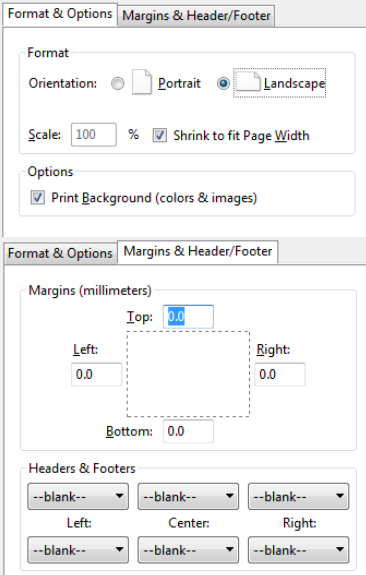
You need to have a PDF printer installed. Change the printer settings of your browser as follows:
-
Zip
The *.html file of the report is zipped together with all *.json files.
-
Zip all
Additionally to the *.html file and all *.json files, all measurement files are zipped.
-
PPT
You can select the chapters and sections that shall be exported as slides.
-
HTML
The complete report is exported as *.html file.
The standard dialog for opening files in your browser appears.
-
- Open or save the file.