Custom Table
Table type that offers a flexible user-defined layout.
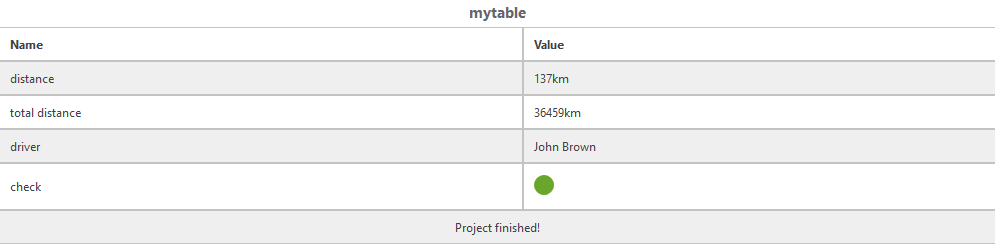
Within bbCode, you can format the text in the table as follows:
| Formatting | bbCode syntax |
|---|---|
| Text |
[i]some italic text[/i] [b]some bold text[/b] [u]This is underlined text[/u] [s]This is strikethrough text[/s] [quote]This is a quote[/quote] [code]This is some code[/code] |
|
Color |
[color=red]This is red text[/color] [color=green]This is green text[/color] [color=blue]This is blue text[/color] [color=yellow]This is yellow text[/color] [color=#123456]This is hex color (#123456) text[/color] |
|
Size |
[size=5]This is small text[/size] [size=10]This is normal text[/size] [size=15]This is medium large text[/size] [size=20]This is large text[/size] [size=25]This is extra large text[/size] |
|
Links |
[url=https://etas.com/eatb]This is a website link page[/url] [url=mailto:support.de@etas.com]This is an e-mail link [/url] [url=file:///C:/Program%20Files/ETAS/EATB6.2/Documentation]Link to installation directory[/url] that only works for the default installation path of EATB |
With respect to reports and configurations, there are the following limitations for this table type:
- To generate a report from a configuration that contains a Custom table, the configuration must also have at least one other chart or table that contains at least one signal. Otherwise, the report cannot be created and an error message is shown.
- If importing a configuration that contains a Custom table as JSON file, the Custom table cannot be imported. You can choose to omit the Custom table and import the configuration without it anyway.