Combine files
The Combine files operation will be deprecated in a future release. Use the Append files or Merge files operations instead, which provide improved configuration options and enhanced processing behavior.
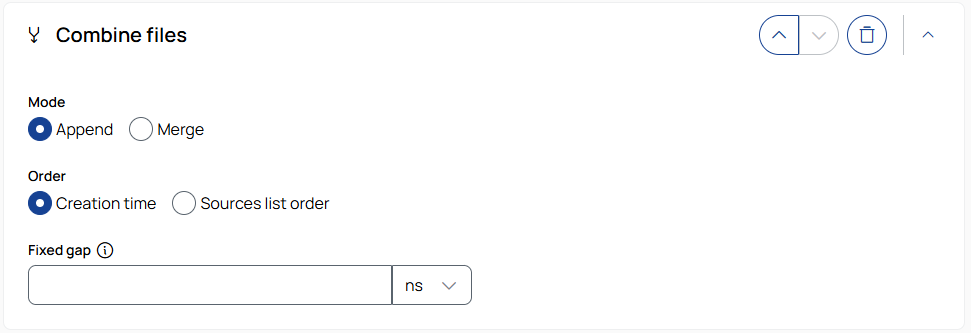
Combination
 Append
Appends all files in the job sequentially into a single output file.
Order
Creation time: Appends files based on the creation time of the measurement files.
Sequence: Appends files in the order they were added in the Source step.
Fixed gap
Inserts a fixed time gap between the appended files. To select the unit, use the drop-down list.
Merge
Merges the data from the job's files into a single file based on their timestamps on a shared timeline.
Gap
Keep: Keeps the original gaps between files unchanged.
Reduce: Reduces gaps based on the following settings.
-
Gap threshold: Gaps equal to or larger than this value will be reduced. To select the unit, use the drop-down list.
-
Fixed gap: Specifies the new gap size to apply to gaps that meet or exceed the threshold. To select the unit, use the drop-down list.