Edit meta data
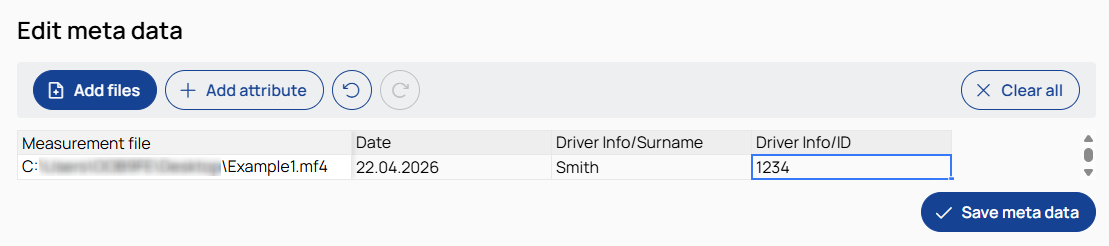
The Edit meta data page provides a centralized interface to view, modify, and add meta data of multiple measurement files in a table.

Opens a file selection dialog to choose measurement files whose meta data you want to edit.

Adds a new meta data field as a column to the table.
Use forward slashes (/) in attribute names to define hierarchical meta data nodes.
A meta data node that has child nodes cannot carry data itself.
If a root-level attribute with data already exists, you cannot create a hierarchical meta data node with the same name.
If a hierarchical meta data node with child nodes already exists, you cannot create a root-level attribute with the same name.
 /
/ Undo/redo
Undo reverts the last change made in the table.
Redo restores the last change that was previously undone.

Removes all selected files and all added attributes from the table.
Table
Displays one measurement file per row.
The first column shows the measurement file, and additional columns represent attributes.
Columns can be selected via the column header. A context menu provides options to insert, delete, or rename columns.
Cells can be edited directly. Multiple cells can be selected using standard mouse and keyboard interactions. Standard keyboard shortcuts are supported.

Writes the edited meta data to the selected measurement files.