Map signal names
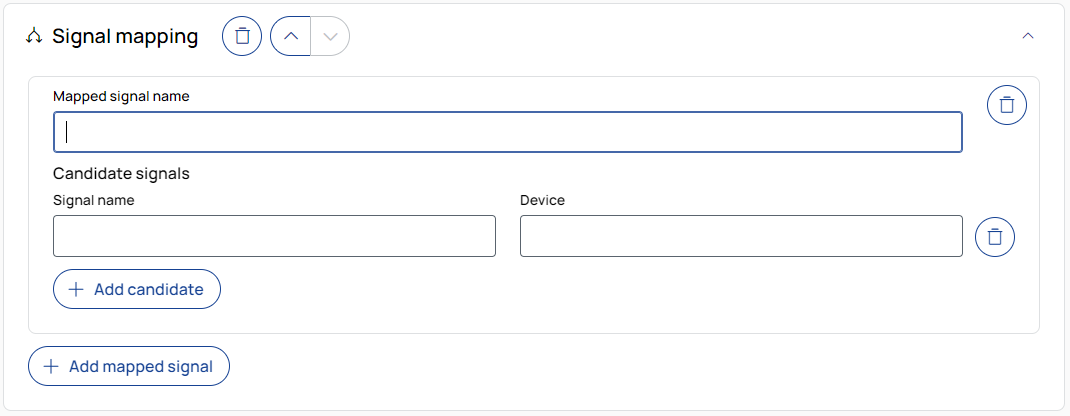
Creates a new signal using values from a list of candidate signals, selected in order of priority. The new signals are created in the output file but the original signals are not removed from the measurement data.
Mapped signal name
Enter the name for the new, mapped signal.
Candidate signals
Provide the original signal names to pull data from. The first available match (from top to bottom) is used.
This can be used as a fallback or priority list for multiple sensors.
Signal name: The original name of the signal to match.
Device: Optionally specify the device the signal belongs to. Leave empty to apply the mapping across all devices.
Load config_signals.csv
You can import a configuration file named config_signals.csv to define multiple signal mappings at once.
The file follows the same structure used in ETAS EATB.
Example files can be found in the installation folder.

You can remove any entry using the trash can icon.

Adds another signal to the list of candidates.

Adds a new mapped signal entry, each with its own list of candidate signals.
To remove the operation from the job, click the trash can button.

To move the operation up or down in the job sequence, use the arrow buttons next to the trash can icon.
 /
/
To expand or collapse the operation, click the arrow in the top-right corner of the operation panel.