Sources
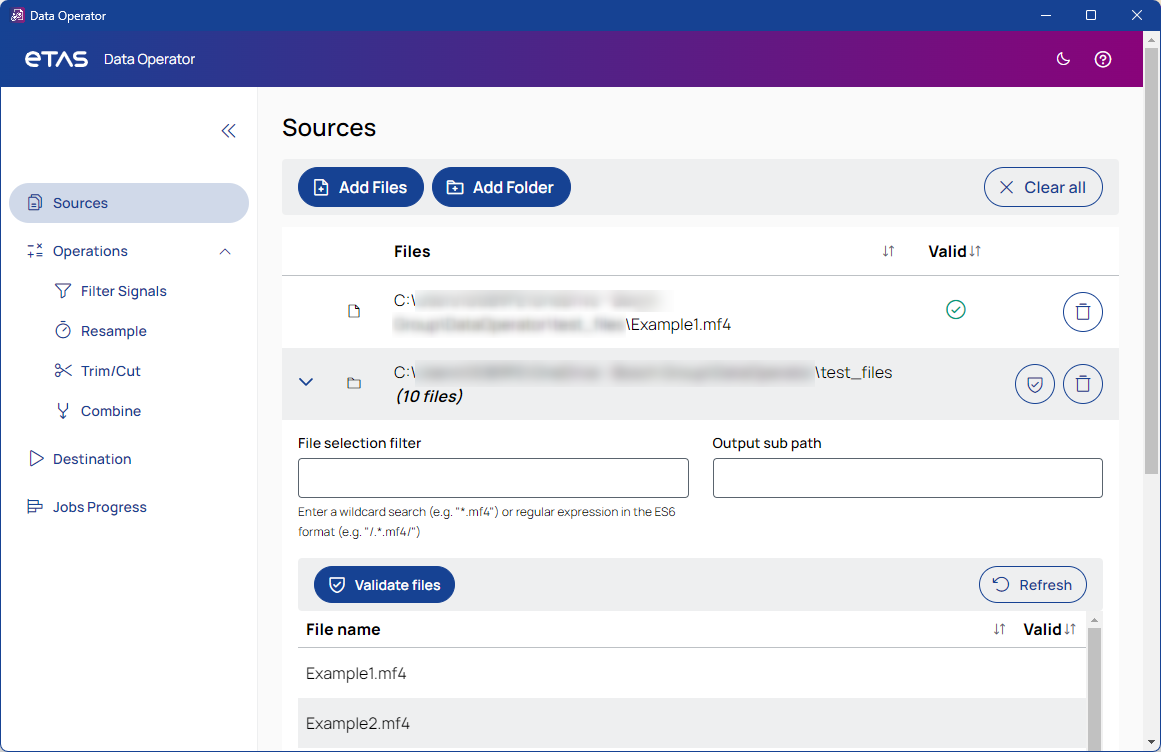

Opens a file selection dialog where you can select the files to add to the job.
See also, Add files.

Opens a folder selection dialog where you can select the folder to add to the job.
See also, Add a folder

Removes all files and folders from the job.
Files
Lists all files for the job, sorted by most recently added.
To sort the list alphabetically, ascending or descending, click the header.
Valid
The icon in this column indicates whether an MF4 file is valid or corrupt. A green checkmark means valid, a red cross means corrupt.
 /
/
Validates all MF4 files in the folder. The validity is indicated by a green check mark or a red cross icon.
When a filter is applied, only the filtered files are validated.

Removes the file from the job.

Refreshes the folder. Changes made are updated.

Proceeds to the next step and saves your entries.