Importing from Excel
|
Note |
|---|
|
The import of a TARA project in Excel requires a proprietary template. If this import feature is required, you should contact ETAS via support. See Contact Information for more information. |
To import a project from Excel
- Perform one of the following steps:
- Click Import in the "Home" screen.
- Go to the File menu > Import.
The "Import" window is displayed.
- Click Import in the "Home" screen.
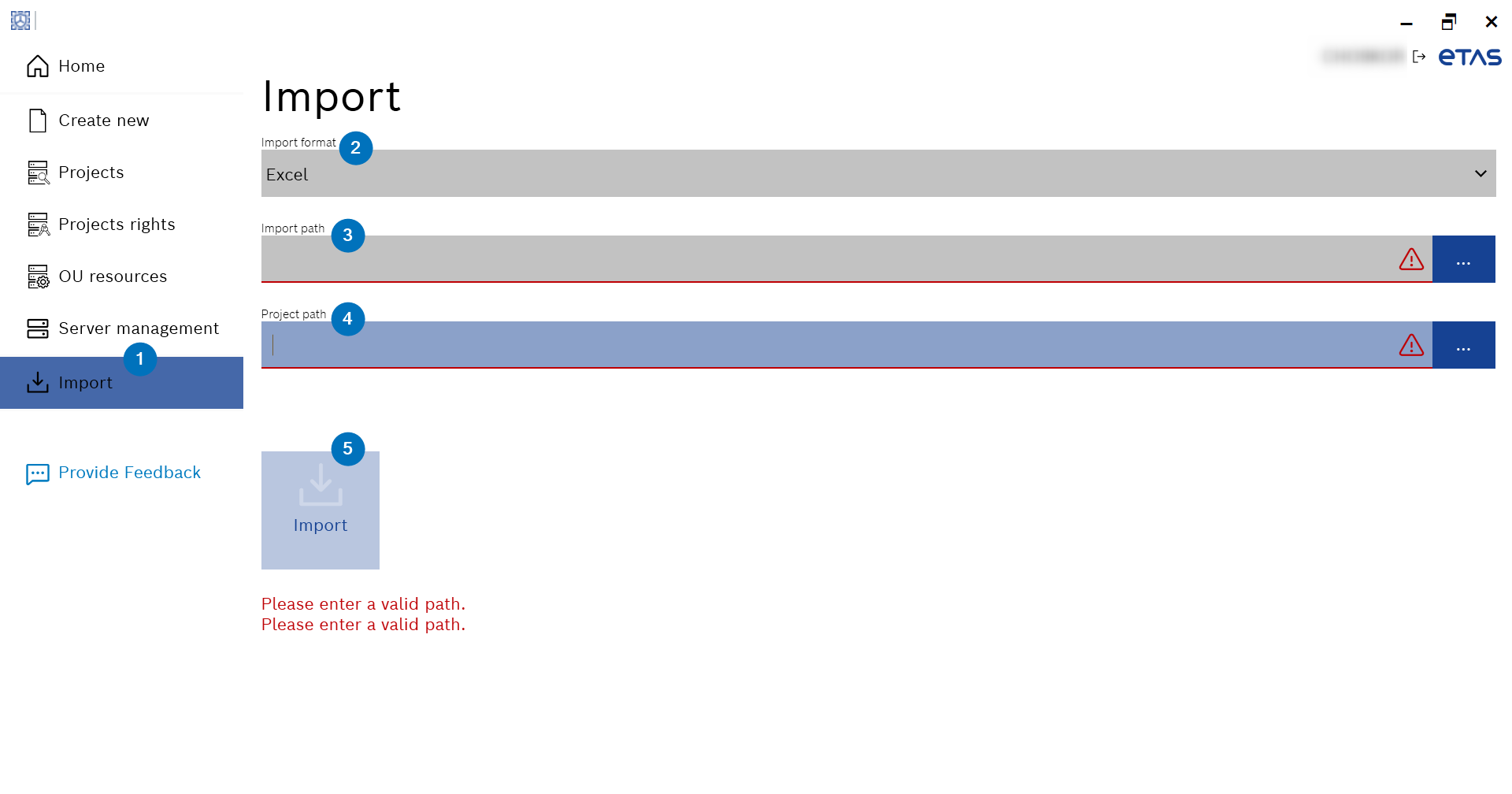
- Select Excel from the "Import format" drop-down list.
- Enter the path of the Excel TARA (*.xlsm or *.xlsx format) in the "Import path" field.
or
Click ... to browse and select it. - Enter the path where the imported project should be saved in the "Project path" field.
or
Click ... to browse and select it.
The "Import" button is enabled.
- Click Import.
- The Excel TARA is imported.