Converting TARA to System TARA
To convert the TARA to the system TARA project
- Perform one of the following steps:
- Click Create new in the "Home" screen.
- Go to the File menu > Create new.
The “Create new” window appears.
- Click Convert to system TARA.
The corresponding screen appears.
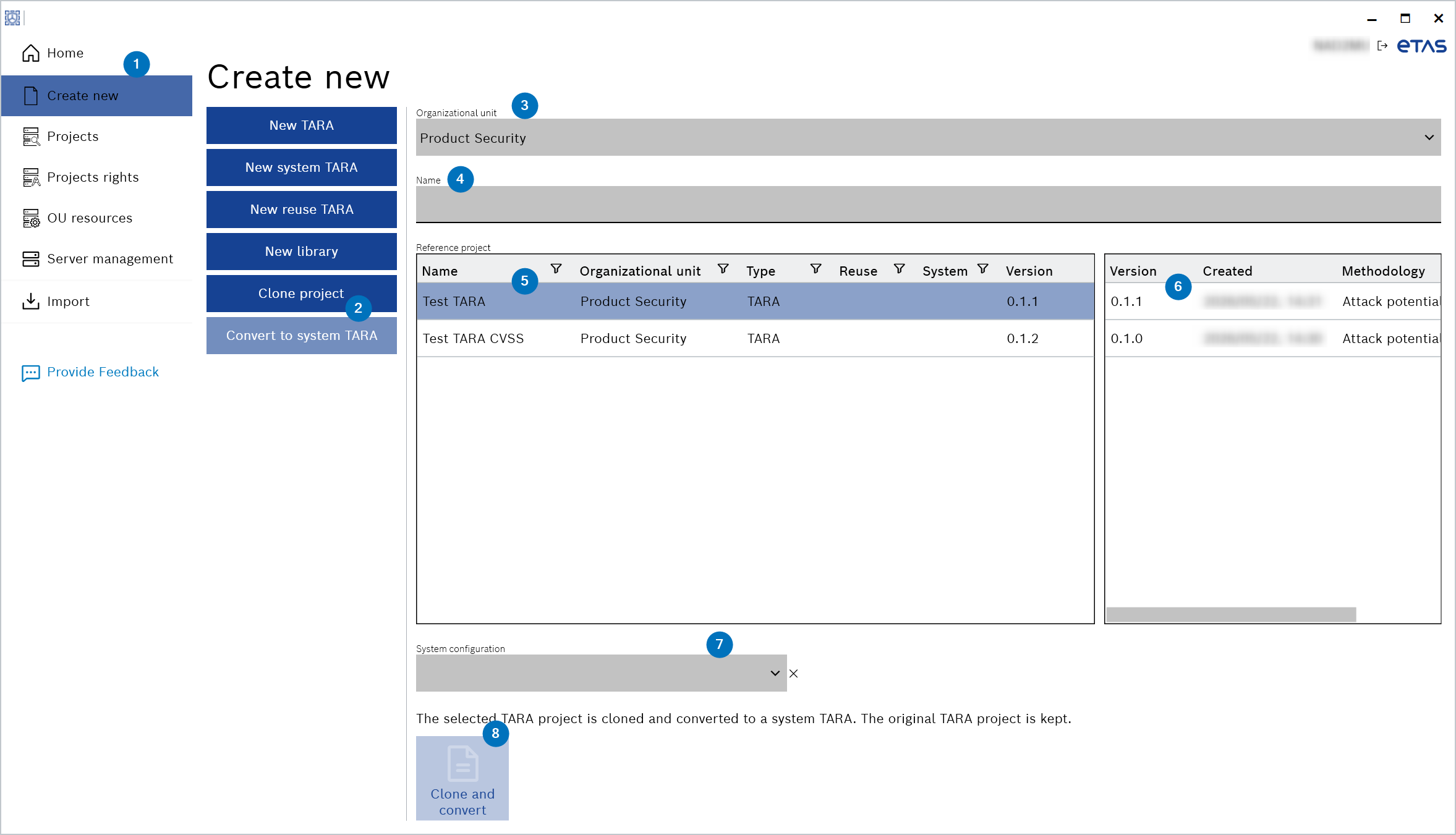
- Select an organizational unit from the "Organizational unit" drop-down list.
- Enter the "Name" of a project.
- Select a reference project from the list.
- Select a version of the reference project from the list.
- Select a system configuration from the "System configuration" drop-down list.
The “Clone and convert” button is enabled. - Click Clone and convert.
The selected TARA project is cloned and converted to a system TARA. The original TARA project is kept.